
Day of the Dead Pet Video With AI: How to Make the Marigold Bridge
How to make the Day of the Dead pet video with AI: your dog or cat crosses the marigold (cempasúchil) bridge, from one photo. Steps, credits, tips and FAQ.
 Oraclip Team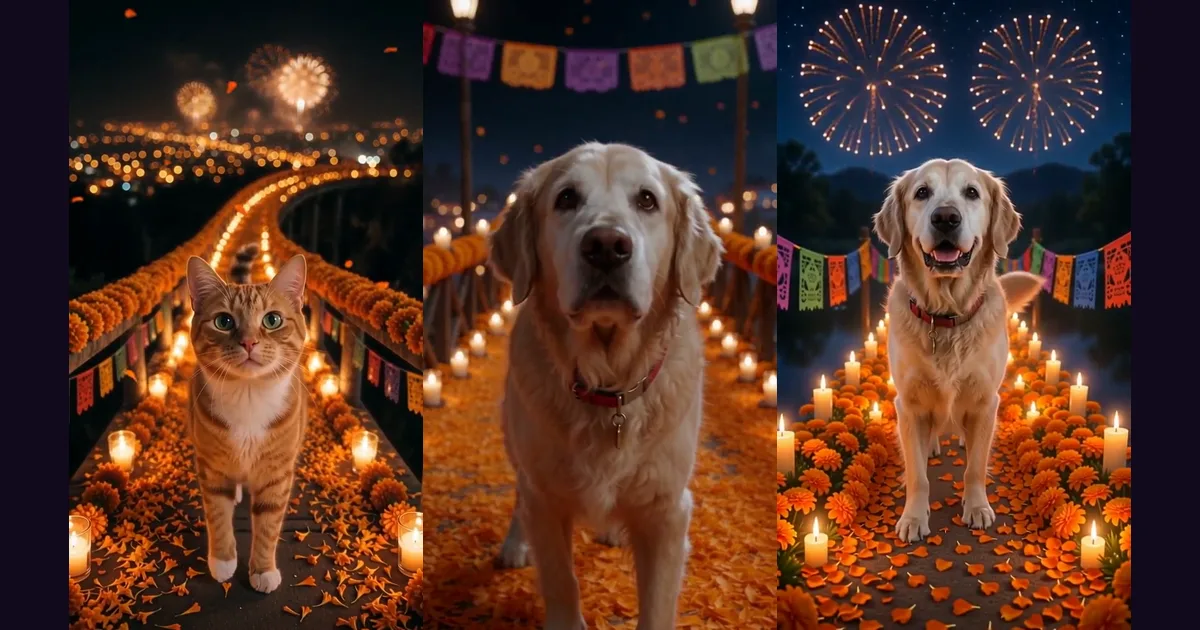
The Day of the Dead pet video is the gentlest AI trend of the season: your dog or cat crosses a glowing bridge of cempasúchil marigolds to come home, between candles, papel picado and soft fireworks. This guide explains where the Día de Muertos pet trend comes from and how to make the marigold bridge video with AI from one photo on Oraclip, with the credit costs and the photos that work best.
Make it now: Day of the Dead pet video generator →
What is the Day of the Dead pet trend?
On Día de Muertos (November 1–2), loved ones who have passed are believed to come home, guided by the colour and scent of cempasúchil marigolds. Many families in Mexico also set aside October 27 to remember their pets.
On TikTok that idea became a video: the dog or cat you miss crosses a bridge of orange flowers to visit its family, often posted with a line like "es su primer Día de Muertos, no lo dejen solo" ("it's their first Day of the Dead, don't leave them alone").
- The trend took off in Mexico in October 2025 with clips made in Gemini from real pet photos. One of the most shared was by @alemerinoj, with her own dogs.
- @petmemoriesai's AI clip, posted October 24, 2025, passed 10M views (per MakeViral, October 14, 2026).
- It is back in 2026: El Informador published a guide to making your pet's digital ofrenda with AI on October 22.
Interest usually peaks on October 27 and November 1–2, so this trend runs longer than the Halloween ones.
The Spanish version of this guide is the original: Video de mascota Día de Muertos con IA.
How to make a Day of the Dead pet video with AI
- Open Day of the Dead Pet AI. The generator is on the left, examples on the right.
- Upload one photo of your pet. A clear face and, ideally, the body. An old photo is fine.
- Pick a version.
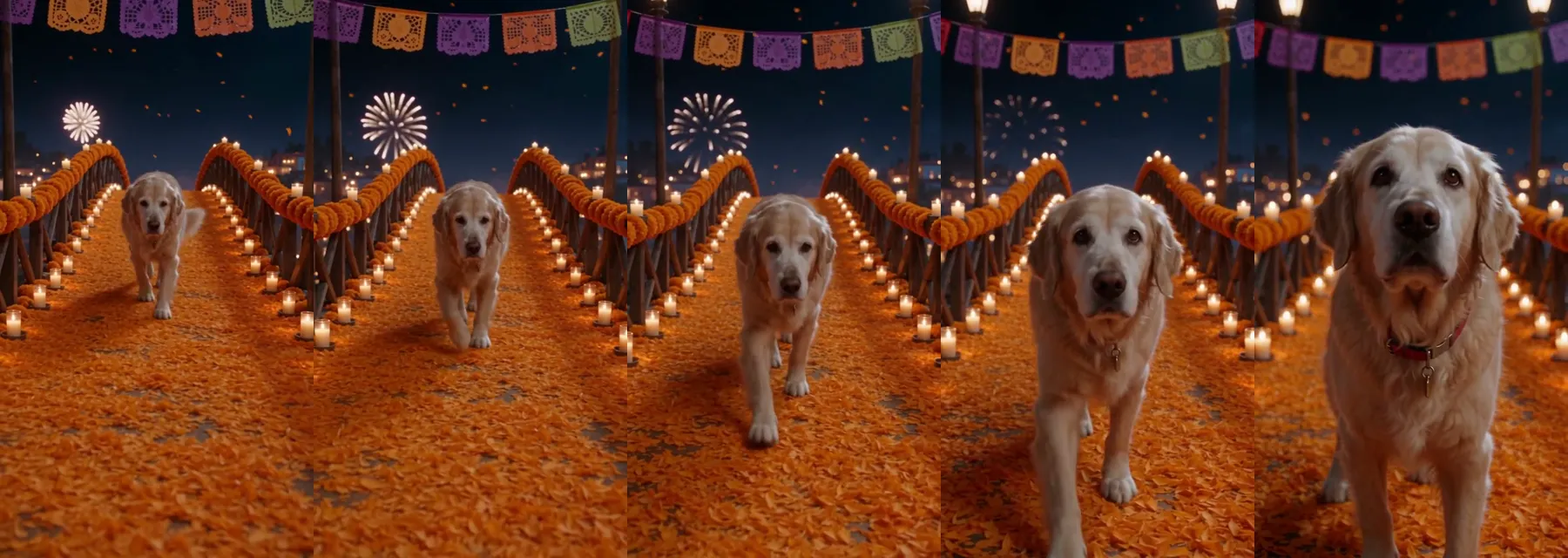
- Marigold bridge: your pet walks toward the camera across the flower bridge, with candles, papel picado and soft fireworks.
- Photo to altar: the clip opens on your photo and the scene fills with marigolds and candles until it becomes the bridge.
- Add a detail (optional). For example "wears its red collar".
- Generate. You get a 5-second vertical (9:16) clip with soft guitar music, no vocals and no copyrighted song.
- Post it. If you want the trend's song, add it from the TikTok or CapCut sound library.
The clip, second by second
| Time | What happens |
|---|---|
| 0–2 s | Your pet appears at the far end of the marigold bridge |
| 2–4 s | It walks calmly toward the camera between candles and petals |
| 4–5 s | It stops close and looks up at you, happy |
The "Photo to altar" version
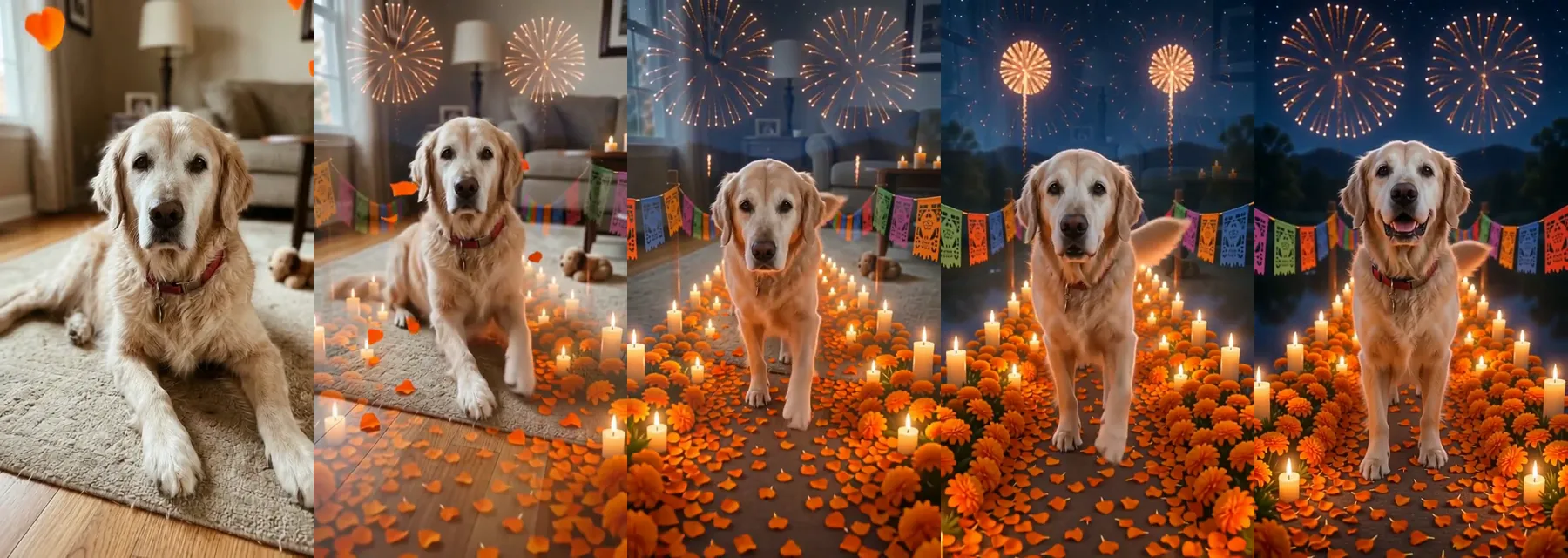
This version starts on your photo exactly as it is and transforms it: marigold petals fall, the background becomes a candle-lit flower path, and your pet walks toward you. It runs on Wan 3.0, the cheapest option. Watch the full clips: golden retriever on the marigold bridge, a tabby cat comes home and photo to altar.
Credits and models
Live Oraclip credit prices on October 23, 2026, for a 5-second, 9:16 clip from one photo:
| Model | Credits |
|---|---|
| Seedance 2.5, 720p (default) | 1,000 |
| Seedance 2.5, 480p | 750 |
| Wan 3.0, 720p | 380 |
- Seedance 2.5 is truest to your pet: it keeps the breed, face and markings. Your photo is the reference for the look, not the first frame.
- Wan 3.0 is the cheapest and starts on your photo as the first frame. It powers the "Photo to altar" version. More in the Wan 3.0 guide.
Failed renders are refunded automatically. See pricing for plans.
Tips so it looks like your pet
- One pet in the photo, face clearly visible. No people.
- Good light, from the front or side. Avoid very dark or blurry photos.
- The whole body, or nearly. It helps the model keep the size and the paws right.
- If your pet had a grey muzzle, use a photo that shows it. The model copies what it sees.
- Use the detail field for what made them unique: a collar, a bandana, one floppy ear.
- For a tribute, keep it calm. The trend is a reunion, not a scare. A short line in your caption works better than lots of effects.
Day of the Dead pet video FAQ
What is the Day of the Dead pet video?
A TikTok trend for October 27 and November 1–2: your dog or cat crosses a bridge of cempasúchil marigolds to come home, as in the Mexican tradition. It is made with AI from a single photo.
Can I make one for a pet that has passed away?
Yes, and that is the most common version. Use the clearest photo you have, even an old one; the video keeps the breed, face and markings. It is a tender tribute, never scary.
Does it work with cats and other pets?
Yes. It works with dogs, cats and other pets, as long as the photo shows one animal with its face visible.
How many credits does a Day of the Dead pet video cost?
A 5-second clip costs 1,000 credits with Seedance 2.5 at 720p, 750 at 480p, or 380 with Wan 3.0 at 720p. Failed renders are refunded automatically.
Does the video have music?
Yes: the model makes soft guitar music, with no vocals and no copyrighted song. Add the trend's song from TikTok or CapCut if you want it.
Do I need Gemini or a CapCut template?
No. On Oraclip the bridge, the candles and the music are already in the prompt. You upload one photo and pick a version.
More seasonal AI trends
- How to make the Spooky Scary Skeletons AI dance: you or your pet in a vampire cape under the orange moon.
- Ramalama AI trend: how to do the costume walk: the low-camera walk and costume reveal.
- AI Halloween video and Motion control AI.
Photo ready? Make your pet's Day of the Dead video before November 2.