
 Made with Oraclip
Turn any photo into a video with AI
Upload a photo of yourself, your pet or any scene, choose how it should move, and get a 10-second vertical video with sound, ready for Reels, TikTok and Shorts. No editing, right in your browser.
Make a video from your photo
Add a photo, pick a motion style (or write your own) and generate. The prompt already handles format, light and sound.
1 · Add your photo
2 · Pick the motion
Want to copy the moves from a trend video? Use Motion Control AI
3 · Pick a model and generate
Only upload photos you have the right to use. No minors and no public figures. If a video fails, your credits are refunded automatically. See plans
How AI turns an image into a video
An AI video model looks at your photo, understands who is in it, the background and the light, and creates the frames that would come before and after, as if the moment had been filmed. You only say what kind of motion you want: a smile, a dance, a camera move.
Oraclip puts three models in one place (Seedance 2.0, Seedance 2.5 and MiniMax H3), so you can try the same prompt on more than one and keep the best take.
What it is good for
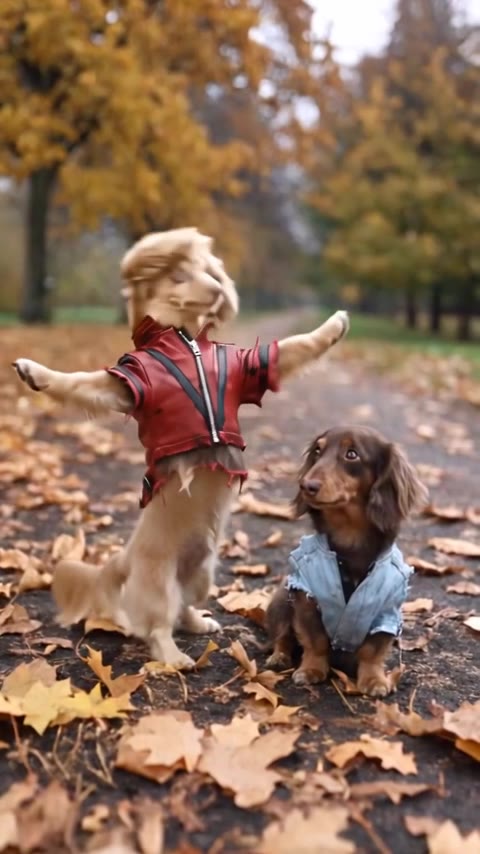
Pet photos that become funny clips, portraits that come alive, old family photos that move again, product shots with a camera move, and posts that stop the scroll better than a still image.
What you get
A 10-second vertical 9:16 video with sound generated alongside it (ambience or original music), ready to download and post on Reels, TikTok, Shorts or WhatsApp.
Motion styles
Pick a style in the generator, or tap one here to load it.
Natural motion
Breathing, blinking, hair in the breeze and a slow push-in. Made for portraits.
Dance
You or your pet dancing where the photo was taken, to an original beat.
Cinematic camera
A slow camera move with depth, great for landscapes and products.
Old photo
Old family photos come alive while keeping their colours and grain.
How to turn a photo into a video with AI
- 1
Upload a photo
JPG or PNG, ideally sharp and well lit. A person, a pet or a scene.
- 2
Pick the motion
Use one of the ready-made styles or write what should happen, in any language.
- 3
Generate, download, post
In a few minutes the video is ready to download and post wherever you like.
Photos that make good videos
- Face or body clearly visible and in focus
- Good light, no harsh shadows
- One person or pet as the subject
Weaker results
- Blurry or very small photos
- Big groups with tiny faces
- Screenshots with text on top
Fine-tune your video
Same prompt, full controls: switch the model, length or aspect ratio, attach a reference video, then generate.
Image to video AI FAQ
Can I turn a photo into a video for free?
You can start free: create an account and use the free credits where available. After that, each video uses credits from a plan or a one-time pack, and downloads cost nothing extra.
How many credits does a video cost?
A 10-second video costs 920 credits with Seedance 2.0 at 480p (the default), 2,000 with Seedance 2.5 at 720p or 830 with MiniMax H3 at 768P. If a video fails, the credits are refunded automatically.
Which AI is best for image to video?
It depends on the photo. Seedance 2.0 gets motion most accurate and is the default; Seedance 2.5 renders cleaner faces at 720p; MiniMax H3 uses your photo as the first frame, so it stays closest to the original image. Trying the same prompt on two models is worth it.
Does it work with pet photos and old photos?
Yes. Pets look great in the Dance style, and the Old photo style keeps the era’s colours and grain while people blink and smile.
Can I post the videos on Instagram and TikTok?
Yes. Videos come out in 9:16, the Reels, TikTok and Shorts format. Only use photos you have the right to use.
More tools and trends
Your next photo could be a video
One photo, one motion, 10 seconds of video with sound.