
Motion Control AI: Copy Any Move From a Video Onto Your Photo
Motion control AI takes the motion from a reference video, the dance, the timing and the camera move, and puts it on the person or pet in your photo. Upload your own clip or start from this week’s trending moves.
- 1 photo + 1 reference clip
- Up to 30 s of reference video
- 9:16, 16:9, 1:1 and more
Make a motion control AI video in 3 steps
Add your photo, add the reference video whose motion you want to copy, then generate. Seedance 2.5 is preselected because it reads up to 30 seconds of reference video.
1 · Upload your photo
2 · Add a reference video or pick a trending move
3 · Generate and download
Only upload photos and clips you have the right to use. No public figures, no minors. Exact cost shows before you generate. See plans
Motion control AI examples: reference video vs result
Real posts from TikTok creators who used motion transfer to copy a move onto a new subject. Each clip plays with its original sound and links back to the creator’s post.
- Example
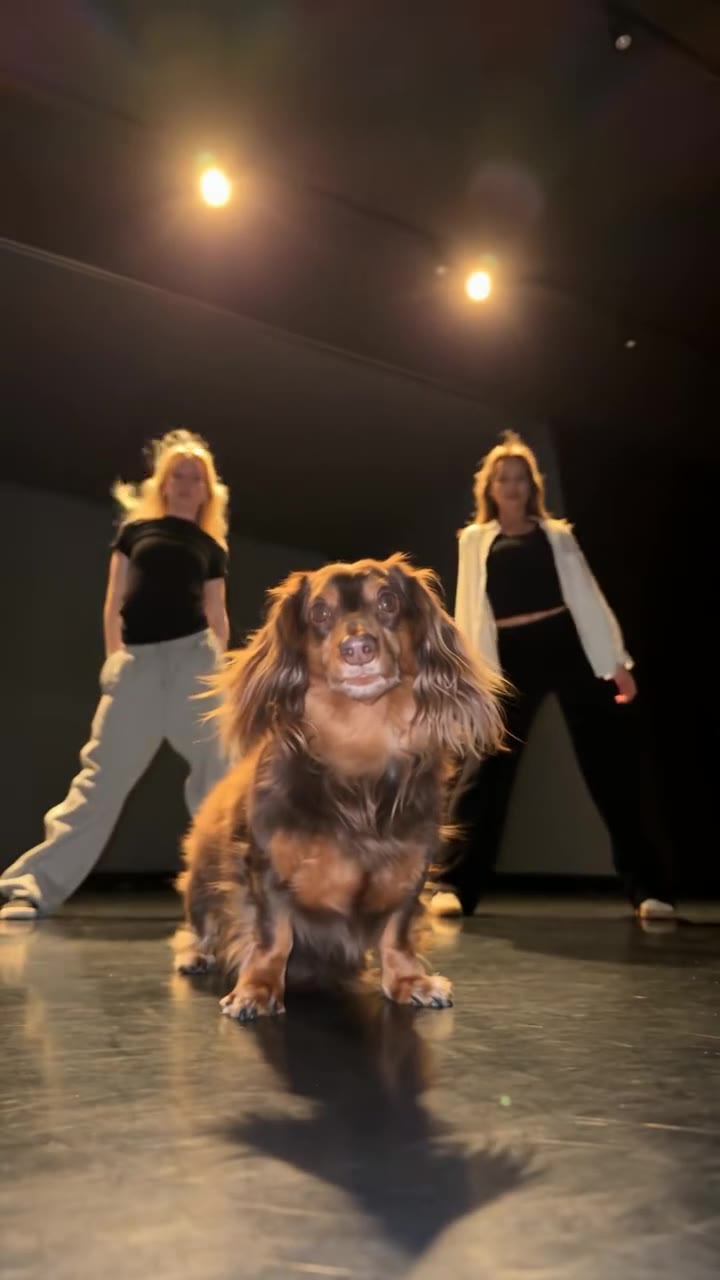
A dog takes centre stage in the Single Ladies dance
Original post by @king_odiee
- Example
The Storm II moment reimagined with a whole crowd moving as one
Original post by @nubia.the.creator
- Example
Two cats copy the Smalltown Boy dance
Original post by @fluffyfishlover
- Example
Two parrots act out the Alors On Danse sketch
Original post by @kennyslowbird
- Example
Raindance: two cats on a pier
Original post by @yikes_301
Tap a clip to play it with sound. Shown for reference; rights belong to the creator. Creators can ask us to remove a clip at any time. contact@oraclip.com
Trending moves this week
Every viral motion transfer meme is a reference video plus a photo. Pick a trend page for a ready-made setup with presets, photo tips and examples, or upload the trend clip above as your motion reference and describe your own twist.
Closed on Sunday choir
You stand perfectly still while a huge choir sways and sings around you. One photo, 14 seconds.
Zombie couple
One of you aims, the other turns zombie, then a golden-field flashback. Two photos, one love story.
Babydoll two-step
The street two-step from Jamie Miller’s “Babydoll”, for you, your pet or the whole family.
Halloween ghost & skeleton dances
Costumed pets, skeleton choirs and spooky dances, all from one photo before October 31.
What is motion control AI?
Motion control AI is a type of AI video generation where you do not describe the movement in words. Instead you give the model a reference video and a photo. The model reads the motion from the clip, the body poses, the rhythm, the facial expression and the camera path, and re-renders it with the character from your photo. People also call it AI motion control, motion transfer or AI motion transfer.
Because the motion comes from a real clip, motion control AI is how most viral AI dance and meme videos are made: the dog doing Beyoncé’s Single Ladies, the cat choir in Closed on Sunday, the zombie couple and the Babydoll two-step all started as a reference video plus a photo.
What can you make with it? Dance trends are the obvious start, but the same idea works for a sports move, a magic trick, a product being unboxed, a runway walk or a reaction meme. If you can film it or find a clip you are allowed to use, motion control AI can put that exact performance on someone else: your pet, your grandparents, a drawing of a character you made, or a younger you from an old photo. The reference sets the rhythm and the camera, the photo sets the look, and your prompt fills in everything else, such as the location, the lighting or the outfit.
Motion transfer vs image-to-video
Image-to-video animates a photo from a text prompt, so the model invents the movement. Motion transfer copies the movement from a video you choose, so the timing and choreography match the original. Use image-to-video for a gentle camera push or a smile; use motion control AI when the exact move matters.
Which videos work best as a reference
One clear subject, the whole body in frame, steady lighting and no fast cuts. Clips between 5 and 15 seconds give the most reliable results; Oraclip accepts up to 30 seconds of reference video in total. Match the framing of your photo to the clip: a full-body dance needs a full-body photo.
AI dance video generator: pets, couples and groups
Use motion control AI as an AI dance video generator: upload a dance clip as the reference and a photo of whoever should dance. Pets work well when the photo shows the whole animal standing or sitting upright. For two people, add one photo per person in the same left-to-right order as the dancers in the clip.
Keep the reference to one continuous take. Hard cuts and big zooms make the motion harder to follow and can change faces between shots.
For groups, the model matches people by position, so line everyone up in the photo the way the dancers stand in the clip and keep the group small: two to four people give the cleanest result. Trim the reference to the part of the dance you want, because every second you upload counts toward the 30-second limit, and pick 9:16 if the video is going to TikTok, Reels or Shorts.
Kling Motion Control alternative: how Oraclip compares
Kling Motion Control, Higgsfield and Oraclip all copy motion from a reference video. Here is what you get on Oraclip, checked against our own model settings on October 21, 2026.
| Oraclip motion control AI | |
|---|---|
| Inputs | Your photo(s) plus up to 30 s of reference video (Seedance 2.5) or 15 s (Seedance 2.0) |
| Output length | 4 to 30 seconds with Seedance 2.5 |
| Resolution | 480p or 720p |
| Aspect ratios | Auto, 21:9, 16:9, 4:3, 1:1, 3:4 and 9:16 |
| Sound | Generated with audio |
| Ready-made trends | Trend pages for Closed on Sunday, Zombie Couple, Babydoll and Halloween, plus 250+ community prompts |
| Pricing | Credits; the exact cost shows before every generation |
Oraclip is not affiliated with Kling or Kuaishou. Kling is a trademark of its owner, named here only to describe a comparison.
Tips for better motion control results
Most failed motion control AI videos come from a mismatch between the photo and the clip: a head-and-shoulders selfie with a full-body dance, or one person in the photo and three in the video. Fix the match first, then refine the prompt. Add short notes such as “keep the background from my photo” or “no extra people” when the model adds things you did not ask for.
- A sharp photo with the face clearly visible and the whole body in frame for dances
- A reference clip with one continuous shot and a steady camera
- The same number of people in the photo(s) as in the reference video
Avoid
- Group photos when the clip has one dancer
- Reference clips with fast cuts, text overlays covering the body or heavy filters
- Cropped photos (head only) for full-body moves
Fine-tune your video
Same prompt, full controls: switch the model, length or aspect ratio, attach a reference video, then generate.
Motion control AI FAQ
What is motion control AI?
Motion control AI turns a photo into a video by copying the motion of a reference clip: the moves, the timing and the camera path come from the video, the look comes from your photo. It is also called motion transfer.
How do I use motion control AI on a photo?
Upload one clear photo, attach the reference video whose motion you want, keep Seedance 2.5 selected and press Generate. You can also start from one of the trend presets and adjust the prompt.
Is motion control AI free?
Generations use Oraclip credits. The exact credit cost for your length and resolution is shown before you generate, so nothing is charged by surprise. Plans and credit packs are on the pricing page.
What is the best AI motion control model?
It depends on the clip. On Oraclip, Seedance 2.5 handles the longest reference videos (up to 30 seconds in total) and generates with sound; Seedance 2.0 is a good choice for short clips up to 15 seconds.
Is Oraclip a Kling Motion Control alternative?
Yes. Like Kling Motion Control, Oraclip copies the motion of a reference video onto your image, and it adds ready-made trend pages and a prompt library. Oraclip is not affiliated with Kling.
Can I use a TikTok video as the reference?
Only use clips you have the right to use, for example your own recordings or footage you licensed. Do not upload videos of public figures or minors.
How long can the reference video be?
Up to 30 seconds of reference video in total with Seedance 2.5, or 15 seconds with Seedance 2.0. Output length is 4 to 30 seconds with Seedance 2.5.
Does motion control AI work with pets?
Yes. Use a sharp photo of the whole animal. Upright, front-facing photos copy dance moves best.
Motion transfer vs image-to-video: what is the difference?
Image-to-video invents movement from a text prompt. Motion transfer copies movement from a reference video, so it matches a specific dance or meme.
Do I need to label the video as AI on TikTok?
TikTok asks creators to label realistic AI-generated content. Turn on the AI-generated label when you post.
Related trends and prompts
Copy your first move with motion control AI
One photo, one reference clip, one minute of setup.