
Family Babydoll dance AI: the whole family does the two-step
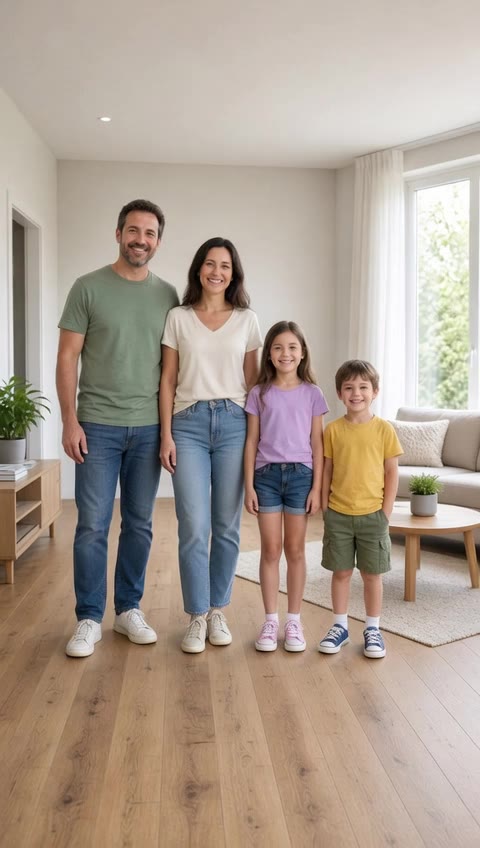
One family photo. Parents and grandparents line up and do the Babydoll two-step together.
Make your Babydoll dance video
The Babydoll moves are already written into the prompt. Add your photo, optionally add your own Babydoll clip as the motion reference, and press generate.
Seedance 2.0 at 720p costs 2,000 credits for 10 s (920 at 480p). The exact cost shows before you generate.
The Babydoll two-step, beat by beat
This is the routine the prompt asks for. It follows Jamie Miller's original street clip.
- 1
Turn on the beat
Start facing away, then spin round to the camera with a grin.
- 2
Chug forward
Small bouncy chugs toward the camera while both arms circle.
- 3
Step out and shimmy
Step out to the side, ball change back, then a quick shoulder shimmy.
- 4
Arm up to finish
Throw one arm up high on the last beat and hold the pose.
How to make a Babydoll dance AI video
- 1
Add one clear photo
Upload one photo of your family standing in a row, everyone head to toes.
- 2
Keep or tweak the prompt
The two-step is already described. Change the outfit or setting in plain words, or attach a Babydoll clip you are allowed to use for exact timing.
- 3
Generate, then add the sound
Review the take, download the MP4 and add "Babydoll" by Jamie Miller from the TikTok or Reels sound library when you post.
Which photo works best
- Everyone standing in a row, head to toes in frame
- A little space between people for the arm circles
- Two to four people, all facing the camera
Gives weak results
- Seated group shots or people cut off at the edge
- Crowds of six or more, faces too small
- Someone hidden behind another person
Babydoll dance AI questions
How many people can be in the family photo?
Two to four people works best. With more, faces get small and the model is more likely to blend people together.
Can I make my parents or grandparents do the Babydoll dance?
Yes, that is the most shared version of the trend. Ask them first, use a photo where they stand head to toes, and they will dance in the clothes they wear in it.
We are not in one photo. What then?
Attach one photo per person and say the order from left to right in the prompt. Separate photos work, but one shared photo keeps the setting and lighting consistent.
Which Babydoll is this?
The 2026 TikTok two-step to Jamie Miller's song "Babydoll", not Dominic Fike's "Babydoll" and not the AI baby dance.
Can I use my own Babydoll clip as the reference?
Yes. Attach a clip you filmed or are allowed to use (up to 15 seconds) next to your photo and Oraclip copies its timing. Without a clip, the written prompt drives the moves.
Does the video include the Babydoll song?
No. The song is a commercial release, so Oraclip does not add it. Add the official sound inside TikTok, Reels or Shorts when you post; that also links your video to the trend.
How much does a Babydoll dance video cost?
Seedance 2.0 at 720p is 200 credits a second, so a 10-second clip is 2,000 credits. Plans start at $8.9/month, and a failed render gives its credits back.
Whose photos can I use?
Your own photo, your own pets, or people who said yes. Never a celebrity or a stranger.