
Seedance 2.5 Prompts: 5 Cinematic Examples to Copy (With the Clips)
Five Seedance 2.5 prompts from X with their finished clips: action, sci-fi drama, live action plus 2D manga, a comedy skit and a drone reveal. Copy them.
 Oraclip Team
Looking for Seedance 2.5 prompts that actually produce cinematic clips? Here are five that creators posted on X between October 22 and 24, 2026, each with its finished video: a neon-alley fight, a rainy sci-fi drama, a live-action guy flirting with a 2D manga woman, a pumpkin comedy skit, and a one-line drone reveal. For each one you'll find the creator and original post, a short excerpt, what makes the prompt work, and a one-click way to run it on Oraclip's Seedance 2.5 generator.
Make one now: open the Seedance 2.5 generator → or pick a prompt below and press Try in Oraclip.
The Seedance 2.5 prompt pattern these all share
Every prompt below follows the same skeleton, the same structure that public Seedance 2.5 prompting guides recommend:
| Part | What to write | Example from below |
|---|---|---|
| Format | Length, aspect ratio, frame rate, realism | "Cinematic ultra-wide 21:9 … 30 seconds, 24fps" |
| Who | Each character, with fixed details | "a blonde woman wearing black sunglasses, a white oversized shirt, black tie" |
| Timeline | What happens in each time range | "Scene 1 (0–5s) … Scene 2 (5–10s) …" |
| Camera | Shot size and movement | "handheld camera with slow push-ins" |
| Rules | What must never change or appear | "Only ONE visible person" |
If you're new to this structure, read how to write AI video prompts first.
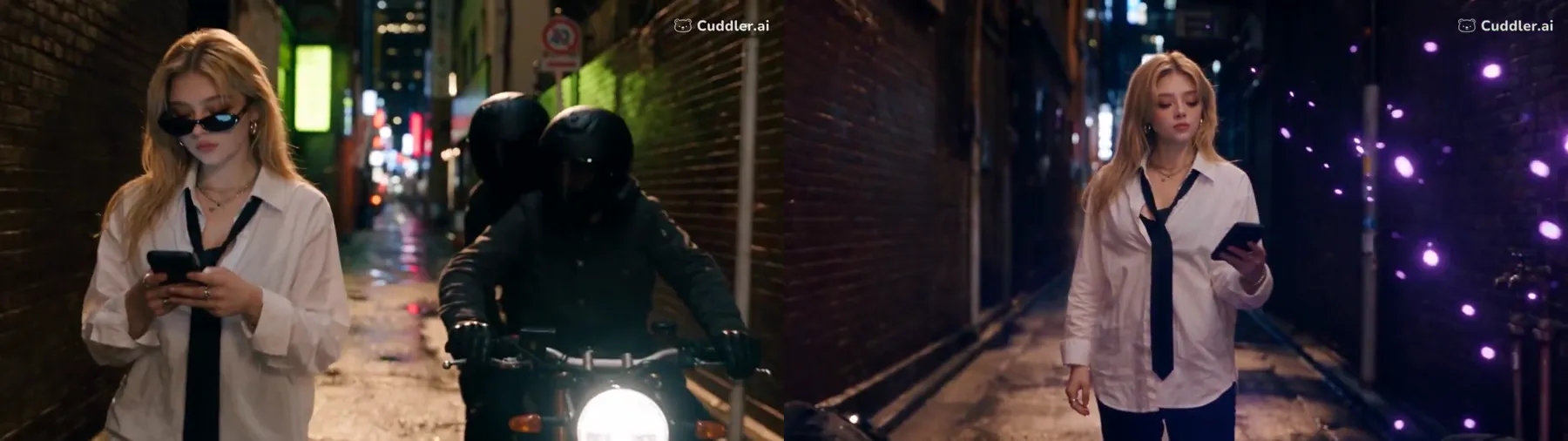
1. Neon-alley action with a superpowered phone, by @Romi2656
"Create a 30-second photorealistic Hollywood-style action video featuring a blonde woman wearing black sunglasses, a white oversized shirt, black tie, black pants, and black shoes. She uses a smartphone with mysterious purple supernatural powers." — @Romi2656 on X
Why it works: the costume is locked in the first sentence, then the fight is split into timed scenes: attackers surround her (0–5 s), purple lightning bursts from the phone (5–10 s), dodges and a spinning kick (10–20 s). Seedance 2.5 keeps the outfit stable because it is never re-described.
Run it: open the prompt → Try in Oraclip. Swap the phone for any prop you like and keep the scene timings.
2. A rainy sci-fi drama with one golden flashback, by @MaxCarter_01
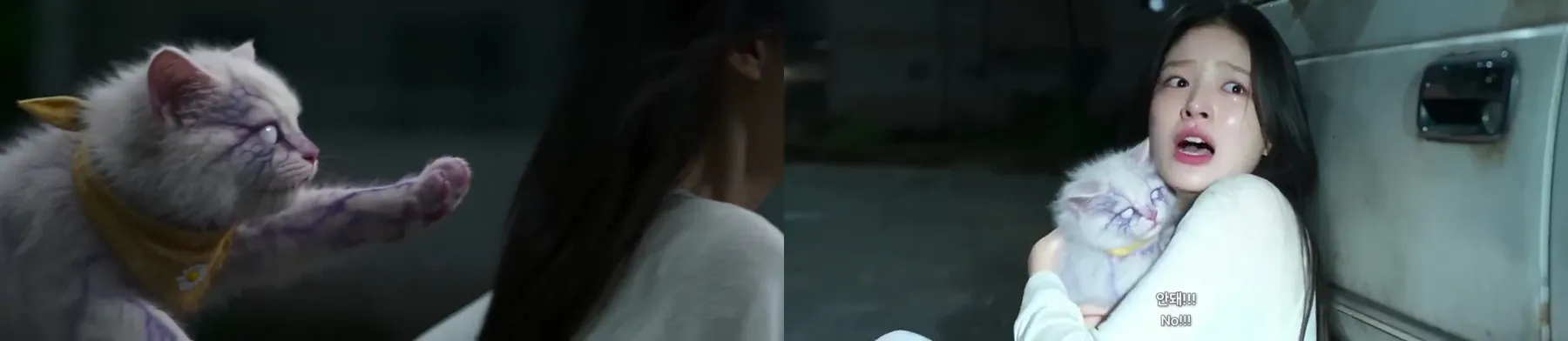
"Cinematic ultra-wide 21:9 emotional sci-fi drama, 30 seconds, 24fps, photorealistic, shallow depth of field, handheld camera with slow push-ins, natural film grain, cold night tones contrasted with one warm golden flashback." — @MaxCarter_01 on X
Why it works: the colour plan is written as a contrast ("cold night tones" vs "one warm golden flashback"), which gives the edit a shape. The characters are a numbered cast list: the woman, Seoa, and her cat with faint lavender vein-like streaks. Details like those are what keep a 30-second clip consistent.
Run it: prompt page → Try in Oraclip. For vertical social video, change 21:9 to 9:16 and let the push-ins do the work.
3. Live action meets 2D manga in one bar scene, by @CharaspowerAI

"Everything is photorealistic EXCEPT the woman, her cocktail and her smartphone, which are rendered as polished hand-drawn 2D manga animation with clean linework, expressive eyes, cel shading and fluid anime motion." — @CharaspowerAI on X
Why it works: one sentence draws a hard border between the two styles and lists exactly which objects belong to the manga side, then adds "the visual contrast must remain stable throughout". Without that line, the model tends to blend the styles after a few seconds.
Run it: open the prompt → Try in Oraclip. Try flipping it: a 2D character in a real kitchen, or a real pet in an anime street.
4. The pumpkin skit: a photo-referenced comedy beat, by @Nyxelarm
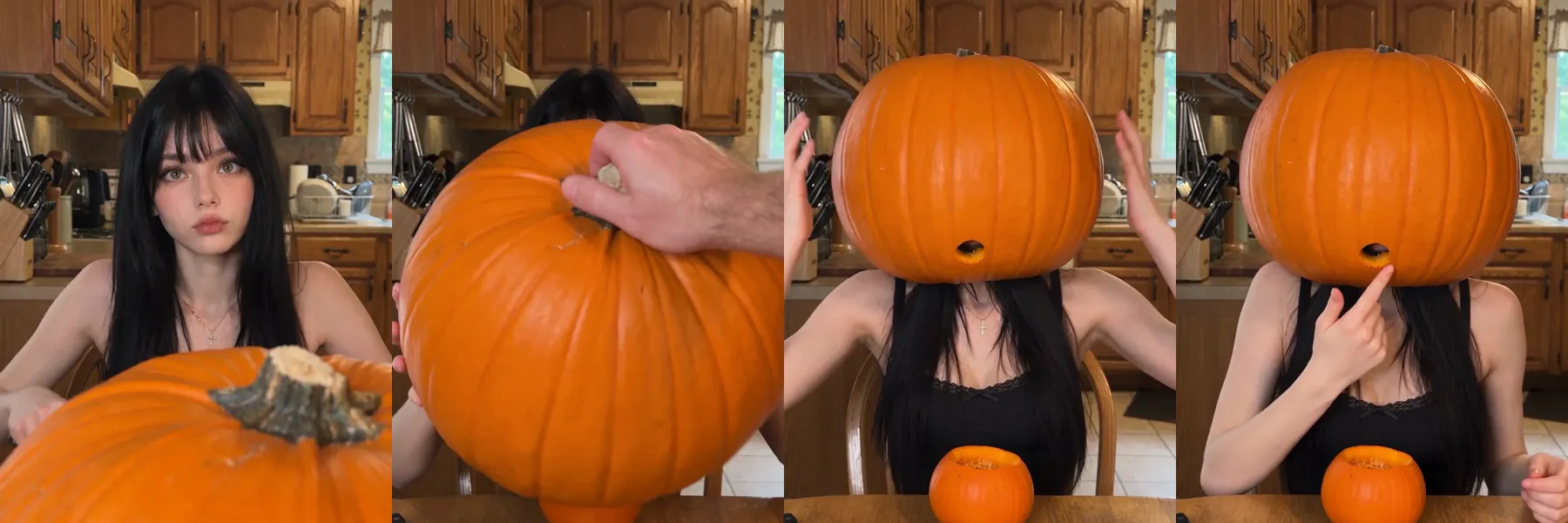
"Use the provided photo reference ONLY for the woman's identity, face, hair, body appearance, and exact clothing. Do not copy the pose, framing, or background from the reference." — @Nyxelarm on X
Why it works: it tells Seedance 2.5 exactly what the reference image is for, and what it is not for. Then an "IMPORTANT CAST RULE" keeps the boyfriend off screen (only his voice and one hand appear), which stops the model inventing a second face.
Run it: open the prompt → Try in Oraclip and attach a photo of a character you're allowed to use. It is a good template for any 10-second Halloween or reaction skit.
Bonus: a one-line drone reveal on Grok Imagine, by @MrDasCreates
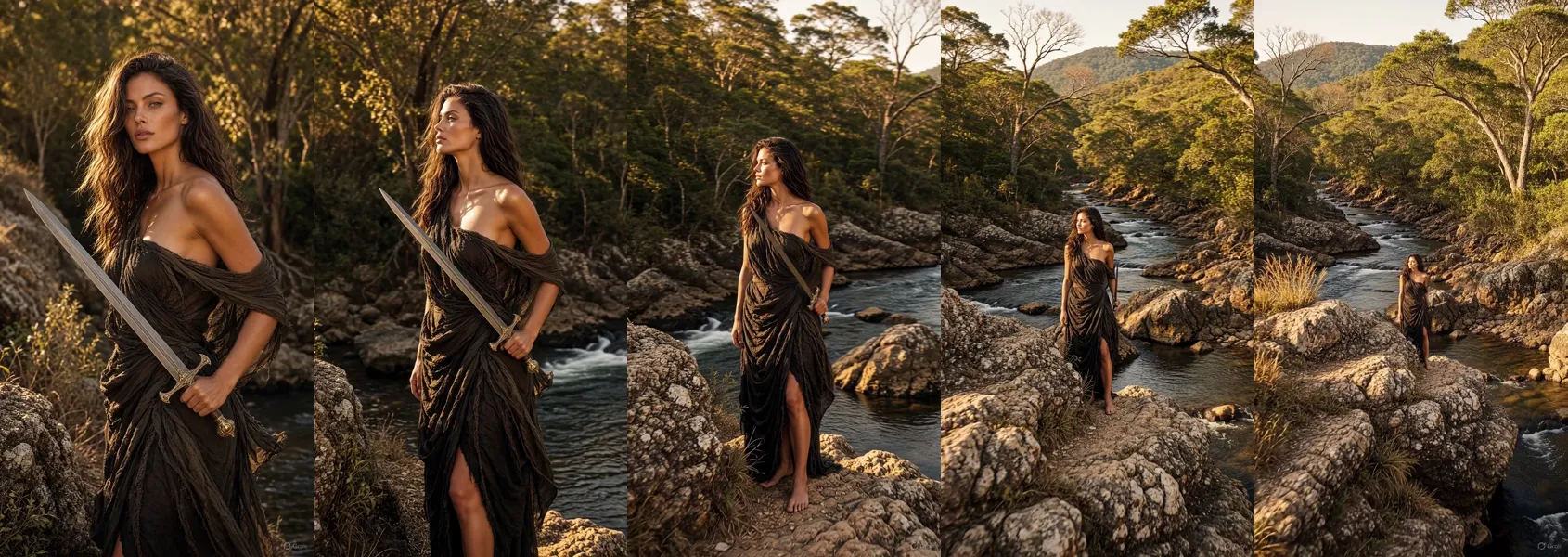
"Create a realistic 360-degree drone shot that slowly pans far away from the character, revealing the entire environment like the opening shot of a blockbuster movie." — @MrDasCreates on X
Not every prompt needs 500 words. With image-to-video, the picture already holds the subject and the setting, so one camera instruction is enough. This one was made with Grok Imagine, which Oraclip also runs as Grok Imagine Video 1.5. Upload your image, open the prompt and press Try in Oraclip.
How to use these Seedance 2.5 prompts on Oraclip
- Open the prompt page and watch the creator's clip first, so you know what "good" looks like.
- Press "Try in Oraclip". The prompt loads into a chat; choose Seedance 2.5 as the model.
- Add your references. A character photo or product shot goes in as an image; say in the prompt what it controls.
- Start short. Generate 5–10 seconds first, then extend once the look is right. Compare Seedance 2.5 and 2.0 if you want a cheaper draft model.
Browse all camera-move prompts →
FAQ
What makes a good Seedance 2.5 prompt?
A format line, a fixed description of each character, a timeline in seconds, a camera instruction and a few hard rules. All five examples above use that order.
How long can a Seedance 2.5 video be?
Up to 30 seconds in one generation. Most of these prompts use the full 30 seconds; the pumpkin skit is 10.
Can I use my own photo with these prompts?
Yes, with image-to-video. Say what the photo controls ("face, hair and clothing only") so the model doesn't copy its pose or background. Only use photos you have the right to use, and no public figures.
Are these prompts free to copy?
You can read and copy every prompt on its page. Generating the video uses Oraclip credits; see pricing.