
AI Elf Dance Video: An Elf Yourself Alternative With Your Real Faces
How to make an AI elf dance video from 1–5 photos: you, friends or pets as dancing Christmas elves. Three scenes, the prompt, photo tips, credits and fixes.
 Oraclip Team
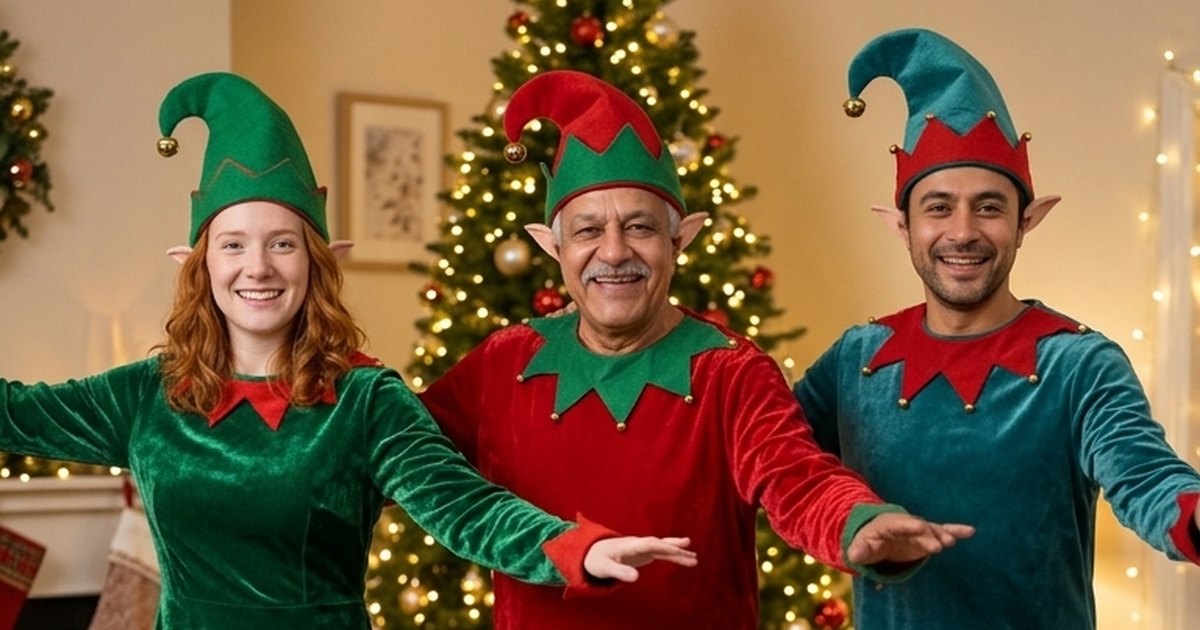
Every December, a clip of your face on a dancing elf makes its way to the family group chat. The classic version pastes flat face cut-outs onto cartoon bodies. An AI elf dance video goes further: everyone in full elf costumes, with their real faces, hair and glasses, dancing together in one continuous take. This guide shows how to make one from one to five photos, which photos work, the three scenes, the prompt structure behind them, what it costs and what still goes wrong.
Make it now: AI Elf Dance →
What is the AI elf dance?
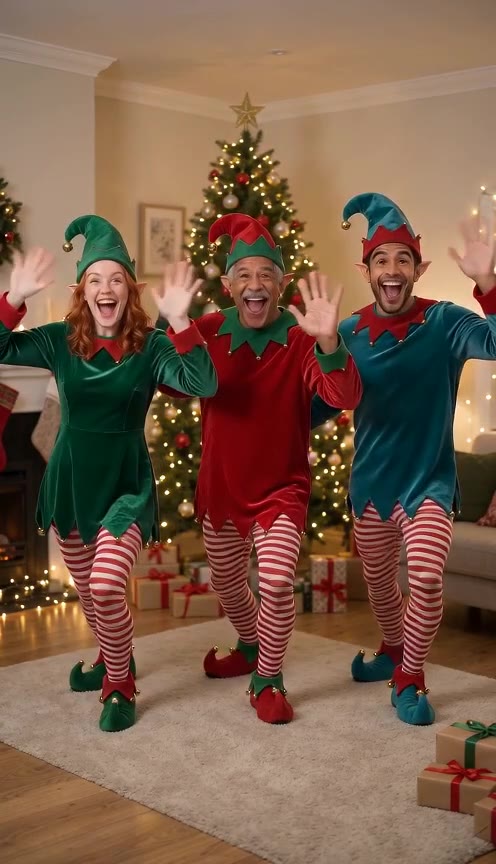
It is a short, vertical Christmas video of you, and anyone you add, dressed as elves and dancing in sync: velvet tunics, striped leggings, curled-toe shoes and pointed hats with bells. It is the same joke as the old face-on-an-elf e-cards, but it looks like a real film shot instead of a collage.
A good elf dance clip has:
- real faces that still look like each person,
- one costume colour per dancer, so you can tell everyone apart,
- a simple dance in beats: wave, jig, a silly solo, a group finale,
- festive music that isn't a known song, so you can post it anywhere.
An Elf Yourself alternative
If you are looking for an Elf Yourself alternative, the main differences are:
| Classic face cut-out e-cards | AI elf dance | |
|---|---|---|
| Faces | Flat photo cut-outs on cartoon bodies | Your faces on photoreal elves |
| Dancers | Several heads on fixed bodies | 1 to 5 dancers, each from their own photo, pets included |
| Dance | Pre-made animation | Generated for your group in one 10-second take |
| Format | Depends on the app | Vertical 9:16 for TikTok, Reels, Shorts and chats |
| Cost | Varies by app and plan | Credits per clip (see below) |
Elf Yourself and JibJab are trademarks of their owners. Oraclip is not affiliated with JibJab or Elf Yourself; our costumes, dances and music are our own.
How to make an AI elf dance video
- Collect one photo per dancer. Box 1 is you. Boxes 2 to 5 are optional: friends, partners, parents or the family pet. One person or one pet per photo.
- Open AI Elf Dance and add the photos. Each photo becomes one elf, left to right in box order.
- Pick a scene: By the tree, Toy workshop or Snowy rooftop. You can add a short detail, such as "matching red tunics" or "end with a group hug".
- Pick a quality and generate. 480p is the default; 720p is sharper. You get a 10-second vertical clip with festive music, usually within a few minutes.
- Send it round. Post it, or drop it in the family chat as your Christmas card, and label it as AI-made.
What happens in the 10 seconds
| Time | What the elves do |
|---|---|
| 0–2 s | Line up and wave at the camera |
| 2–6 s | A bouncy synchronized jig, hat bells jingling |
| 6–8 s | Each elf gets a quick silly solo move |
| 8–10 s | Group finale: jump, freeze, big grins |
Three elf dance scenes
- By the tree: a cosy living room with a glowing tree, stockings and a fireplace. The classic elf jig with heel clicks.
- Toy workshop: shelves of presents and toy trains, a conveyor-belt line dance, a robot break and a confetti bow.
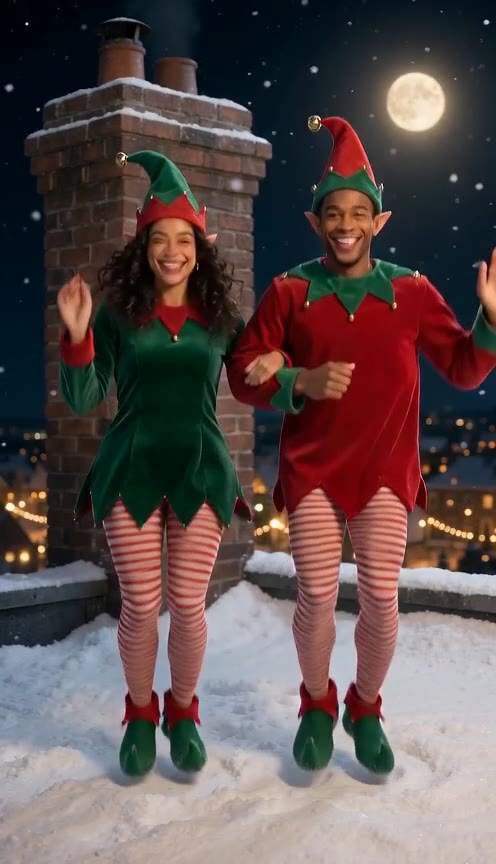
- Snowy rooftop: moonlight, snow and a chimney, a can-can line in the snow, then everyone hops down the chimney, right where Santa lands.
The prompt behind it
You don't need to write a prompt on the page, but if you use your own video model, this is the structure ours follows (shortened):
Exactly three dancers in one row, left to right in image order, one per reference image, nobody else. Dancer 1 emerald green tunic, dancer 2 cherry red, dancer 3 teal. Keep each dancer's exact face, hair, glasses, skin tone, age and build from their own image; never blend or swap faces. Everyone wears a full Christmas elf costume: velvet zig-zag tunic, red-and-white striped leggings, curled-toe shoes, a pointed felt hat with a golden bell worn high so the hairline and eyebrows show. A cosy living room beside a glowing Christmas tree. One continuous 10-second take, vertical 9:16. 0–2 s the elves wave; 2–6 s a synchronized jig with heel clicks; 6–8 s silly solo moves; 8–10 s jump and freeze. No on-screen text, no logos, no known characters, no known song.
What makes it work:
- One photo, one dancer. Group photos make the model guess who is who, and that's when faces blend or an extra elf appears.
- A colour per dancer. Different tunic colours help the model keep neighbours apart for the whole clip.
- Hats worn high. A hat pulled down hides the hairline and brows, and the face starts to look like someone else.
- Pets stay pets. A dog or cat dances on four paws in a tiny elf hat, never standing like a person.
- Beats in seconds. Four short beats fit 10 seconds far better than a long story.
Many tools do this in two steps: an image model dresses everyone as elves in one still, then an image-to-video model animates it. The page does it in one step with Seedance 2.0 Mini, using each photo as a face reference, so you never write a prompt.
Photos that work best
| Works well | Weaker or not allowed |
|---|---|
| One adult or one pet per photo, face clearly visible | Photos of children or anyone under 18 (never allowed) |
| Good light, front-facing or slightly to the side | Several people in one photo |
| Head and shoulders or waist up | Very dark, blurry or heavily filtered photos |
| For pets: the whole animal, looking at the camera | Celebrity or public-figure photos |
Only add adults who agreed to dance, or your own pets. For an office card, ask everyone first.
What it costs
A 10-second clip costs 480 credits with Seedance 2.0 Mini at 480p (the default) or 1,010 credits at 720p, whatever the number of dancers. Photos are free inputs and failed renders are refunded automatically. There is no free preview: every render runs a paid video model. See pricing for plans.
What to expect, and how to fix it
- A face looks like someone else: use sharper, front-facing photos, or try 720p. Every render is new, so watch yours before you post it.
- An extra elf appears: give each dancer their own box and never upload a group shot.
- Dancers drift out of sync: fewer dancers stay tighter. Three is the sweet spot; five is the most chaotic.
- The dog stands up like a person: use a photo of the whole animal.
- You want a specific song: the clip has our own festive music. Add your track when you post.
More Christmas videos
Want Santa in on it too? Santa Caught on Camera puts Santa on your own doorbell or living-room camera (how to make it), and AI Santa Video makes a message from Santa that says your name. For a festive selfie, see the selfie with Santa AI hug video.
FAQ
Is this Elf Yourself? No. It is an AI alternative with photoreal elves and your real faces. Not affiliated with JibJab or Elf Yourself.
How many people can be elves? One to five, one photo each. Only the first box is required.
Can I add my kids? No. Photos of children are never allowed. Add adults who agreed to it, or your pets.
Does the video have music? Yes: festive jingle-bell music, never a known song.
Related
- AI Elf Dance: make yours from one to five photos.
- Santa Caught on Camera: Santa on your own home camera.
- AI Santa Video: a video message from Santa.
Photos ready? Get the whole crew dancing.