
GTA 6 AI Video: How to Make the GTA 6-Style Night Drive From One Photo
How to make a GTA 6-style AI video from one photo: you or your pet in a convertible on a neon seafront, three scenes, the prompt, photo tips, credits and fixes.
 Oraclip Team
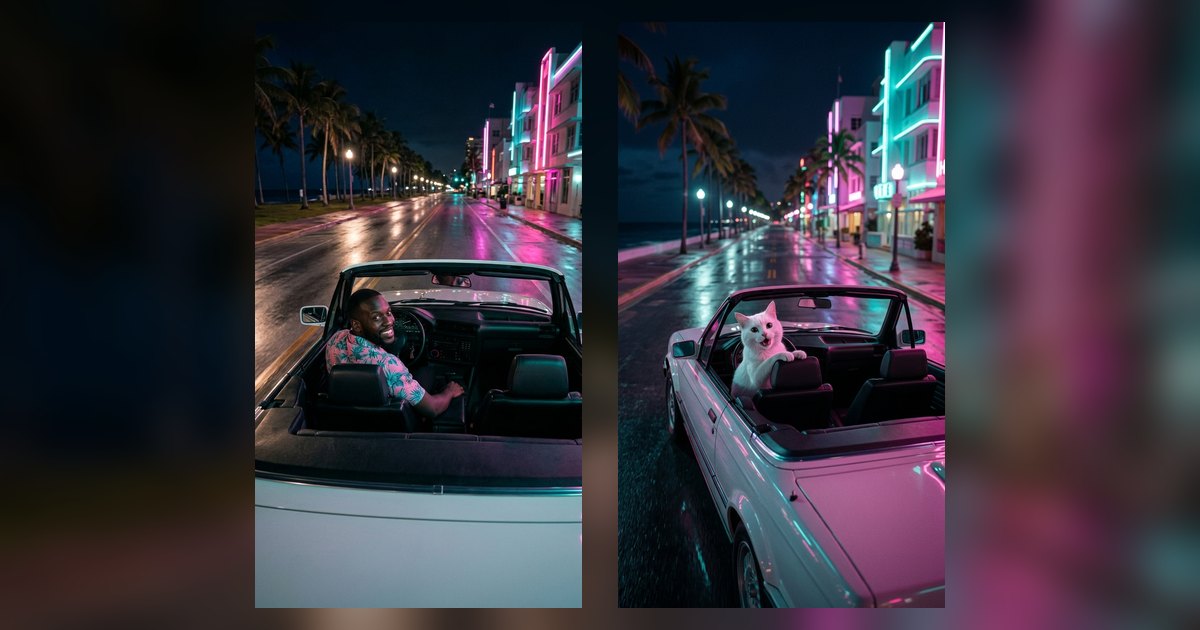
Before GTA 6 comes out, one AI clip keeps showing up on TikTok, Reels and X: someone (or their dog) driving a white convertible up a neon seafront at night, filmed by a chasing camera, looking back before they floor it. This guide shows how to make that GTA 6 AI video from one photo: which photos work, the three scenes, the prompt structure, the cost and what still goes wrong.
Make it now: GTA 6-Style Night Drive AI →
What is the GTA 6 AI trend?
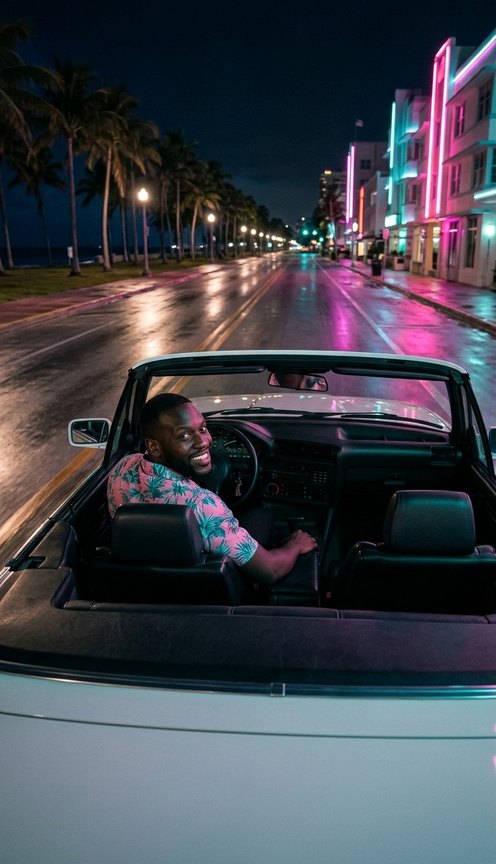
GTA 6 is set to launch on 19 November 2026. While people wait, they post AI videos of themselves in the look the trailers made famous: a neon-lit coastal city, palm trees, pastel art-deco hotels, wet asphalt reflecting pink and teal light, and a third-person camera riding behind the car.
Whether it's called a GTA 6 AI video, a GTA 6-style video or a Vice City AI clip, it is the same short, vertical drive. The most shared versions:
- the solo night cruise: you look back at the camera, grin and accelerate,
- the duo getaway: you and a friend in the front seats, both looking back,
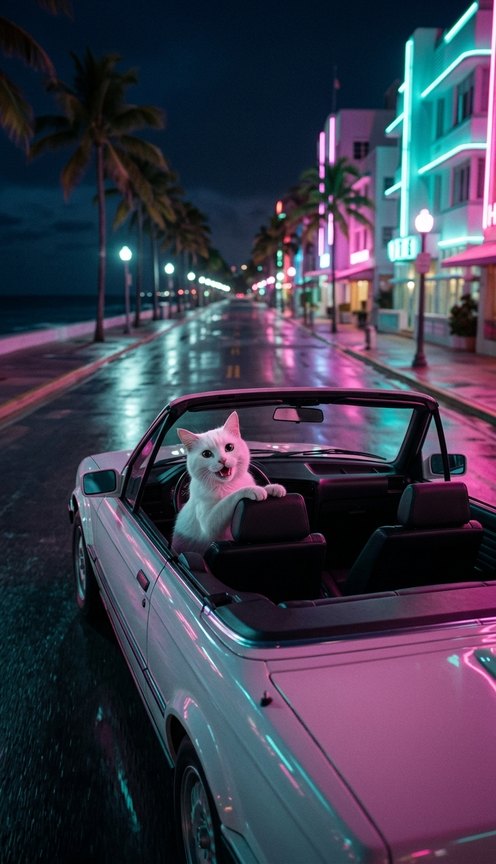
- the pet at the wheel: a dog or cat sitting upright in the driver's seat, paws on the wheel.
Important: this is a fan style, not the game. A good clip uses no game footage, logos, characters, interface or music. Ours uses an invented seafront city, a generic white convertible with no badge or number plate, and engine and wind sound instead of a song.
How to make a GTA 6-style video from one photo
- Pick one clear photo of the driver. You, front-facing, in good light, or your dog or cat sitting and looking at the camera.
- Open GTA 6-Style Night Drive AI and add it in the Driver box. If you want a passenger, add one photo of another adult in the second box. The passenger is optional.
- Pick a scene: Neon night cruise, Sunset boulevard or Pet at the wheel. You can add a short detail, for example "pink tropical shirt and aviators" or "light rain".
- Pick a quality and generate. 480p is the default; 720p is sharper. You get a 10-second vertical (9:16) clip with engine and wind sound, usually within a few minutes, in your Library.
- Post it with your own music and keep the AI label on.
What happens in the 10 seconds
| Time | What you see |
|---|---|
| 0–2 s | The convertible idles at a neon-lit light; the driver looks back at the camera |
| 2–6 s | The car surges up the boulevard, palms and neon streaming past |
| 6–8 s | A wider chase shot along the glowing seafront |
| 8–10 s | One more look back at full speed |
Three scenes: night, sunset and pet
Neon night cruise is the classic: midnight, a wet road, pink-and-teal neon and the ocean on your left.
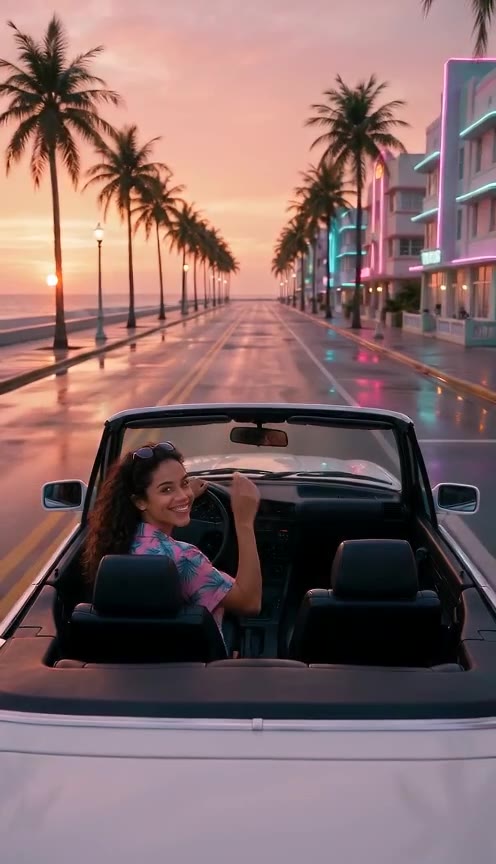
Sunset boulevard is golden hour on the beachfront, with the neon just switching on. The light is softer and kinder to faces, which makes it the best pick for two people looking back together.
Pet at the wheel puts your dog or cat in the driver's seat, sitting upright with its front paws on the wheel and its ears in the wind. Add your own photo as the passenger if you want to ride along. If your pet is the star of your feed, Paws at You AI is another pet trend that works from one photo.
The prompt behind it
You don't need to write a prompt on the page, but if you use your own video model, this is the structure ours follows (shortened):
@image1 is the driver, one adult; use the photo only as an identity reference, not as the opening frame. Vertical 9:16 photoreal cinematic night drive in an original 1980s-inspired neon coastal city: a palm-lined seafront boulevard, wet asphalt reflecting hot-pink and teal neon, pastel art-deco hotels. Third-person chase camera behind and slightly above a generic white open-top convertible with no badge and no number plate. 0–2 s the driver looks back over their shoulder at the camera with a grin; 2–6 s the car surges up the boulevard, palms and neon streaming past; 6–8 s wide chase shot along the seafront; 8–10 s the driver glances back once more. No on-screen text, no logos, no game interface, no known characters, no song. Engine, wind and tyre sound only.
What makes it work:
- Plan the look-backs. A chase camera mostly sees the back of the car. The face only shows when the driver turns around, so the prompt asks for it at the start and the end.
- Describe the world, not the game. Palm trees, neon, pastel hotels and wet asphalt carry the style; naming a game can pull in logos or characters.
- Keep the car generic. "No badge, no number plate" stops the model from inventing a real car brand.
- Use time beats. Four short beats fit 10 seconds better than a long story.
One step or two?
Many creators use two steps: an image model puts the person in the car looking back, then an image-to-video model animates that still. Our example clips were made that way (Nano Banana 2.1, then Seedance 2.0 Mini). The page does it in one step: Seedance 2.0 Mini uses your photo as a face reference and makes the drive directly. One step is simpler; two steps give you more control over the first frame.
Photos that work best
| Works well | Weaker or not allowed |
|---|---|
| One adult (or one pet) per photo, face clearly visible | Photos of children or anyone under 18 (never allowed) |
| Good light, front-facing or a slight angle | Group shots: crop to one person first |
| No sunglasses or hat, so the neon lights your face | Very dark, blurry or heavily filtered photos |
| For pets: the whole animal, sitting, looking at the camera | Celebrity or public-figure photos |
Only upload photos of yourself, your pet or adults who said yes.
What it costs
A 10-second clip costs 480 credits with Seedance 2.0 Mini at 480p (the default) or 1,010 credits at 720p. Your photos are free inputs and failed renders are refunded automatically. There is no free preview: every render runs a paid video model. See pricing for plans.
What to expect, and how to fix it
- You mostly see the back of the car. That is the chase-cam look. Your face shows when you look back at the start and the end.
- The face drifts from your photo. Use a sharper, front-facing photo, or try 720p. Results vary from run to run.
- Driver and passenger swap seats. Put the driver in box 1 and the passenger in box 2.
- Your pet stands up like a person. Pick Pet at the wheel and use a photo of the whole animal sitting.
- The camera wanders. In our sunset test it dropped to the rear wheel for a few seconds before returning to the driver.
A style, not the game
This is an unofficial, fan-made neon-coastal style made with AI. It is not GTA 6 and not footage from any video game, and it has no game logos, characters, interface or music. Grand Theft Auto, GTA and Vice City are trademarks of Take-Two Interactive. Oraclip is not affiliated with, endorsed by or sponsored by Rockstar Games or Take-Two Interactive.
FAQ
Is this an official GTA 6 video maker? No. It makes a fan style inspired by the look people associate with the game, with original scenery and no game assets.
Can my dog or cat drive? Yes. Pick Pet at the wheel and put your pet's photo in the Driver box. Add yourself as the passenger to ride along.
Does the video have music? No song, only engine, wind and tyre sound. Add your own track in TikTok, Reels or CapCut when you post.
Related
- GTA 6-Style Night Drive AI: make yours from one photo.
- Paws at You AI: your real pet reaches a paw to the camera.
- Image to video AI for any other photo.
Photo ready? Make your GTA 6-style night drive.