
 Made with Oraclip
Paws at You AI: Your Pet Reaches a Paw to the Camera
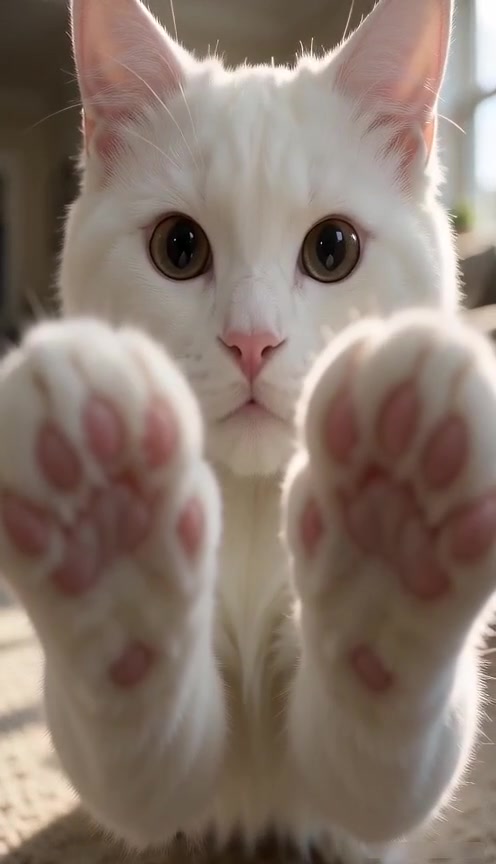
The *paws at you* meme, starring your own cat or dog. Upload one photo and your pet leans in close, looks into the lens with big round eyes and presses a paw to the camera, toe beans and all, in a short vertical clip that loops.
Make your pet paw at you
Add one photo of your cat or dog, pick a pose and generate. The close-up, the lean-in, the paw on the lens and the loop are already in the prompt.
1 · Add your pet’s photo
2 · Pick the pose
3 · Pick a quality and generate
Only upload photos of your own pet or a pet you have permission to use. No people in the photo. The clip is AI-made; label it as AI when you post it. Not affiliated with the creators of the original snow leopard posts. Failed renders are refunded automatically. See plans
What is the paws at you meme?
“*paws at you*” is an old chat phrase for a cute, cat-like way of saying hi: you send it when you want someone’s attention, often with a :3. In late October 2026 it took off on X with a close-up of a snow leopard, often called Mei Mei, staring into the camera with huge round eyes and both front paws pressed toward the lens.
People post the image with a request after the phrase, such as “*paws at you* can you stream your game for me”. One of those posts passed a million views within a few days, and pet owners started asking for the same shot with their own cat or dog.
Your clip, second by second
- 10–1 s: your pet sits a little away and looks straight into the lens.
- 21–3 s: it leans in close and reaches a paw (or both) to the camera, toe beans in the foreground.
- 33–5 s: it holds the paw there, blinks, then sits back to where it started, so the clip loops.
Paws at You AI example photos
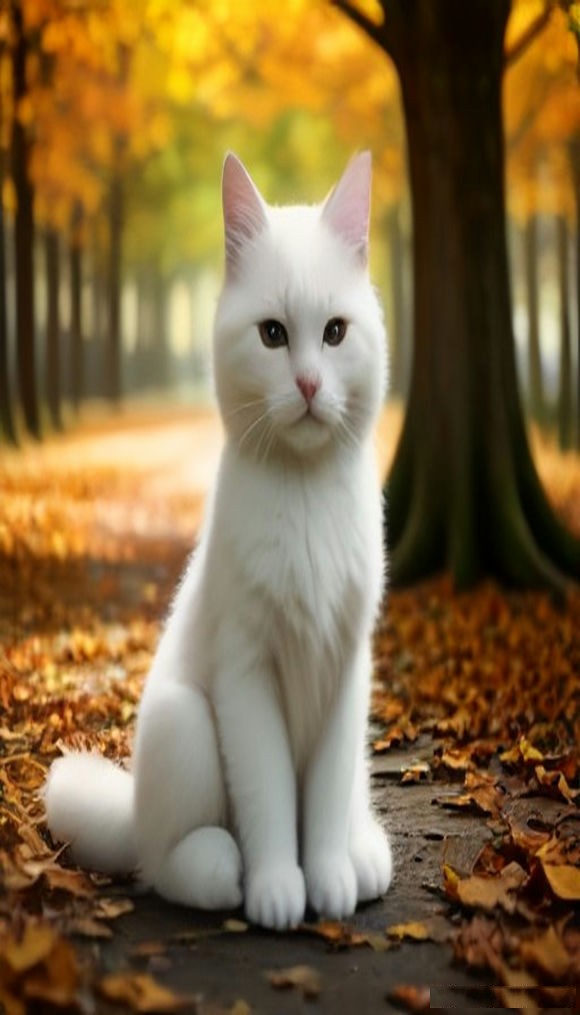
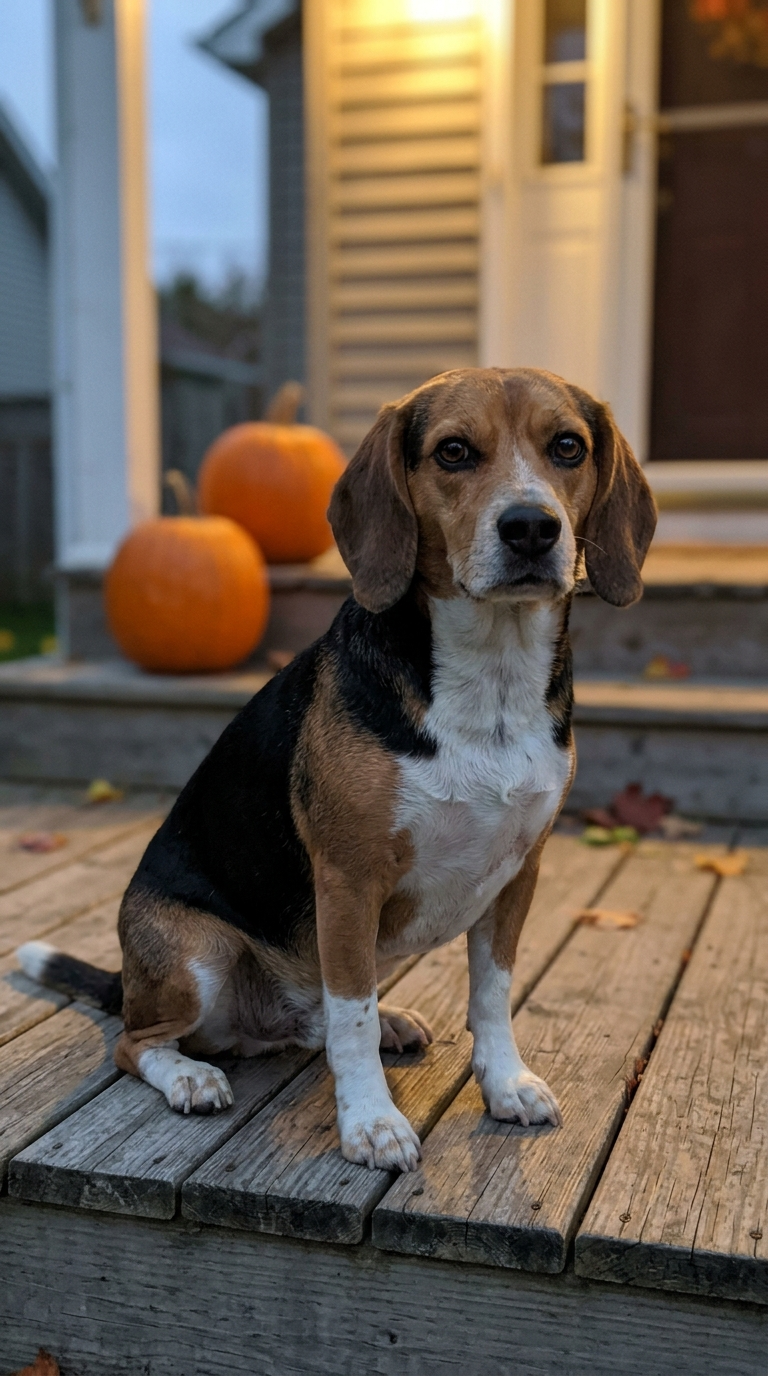
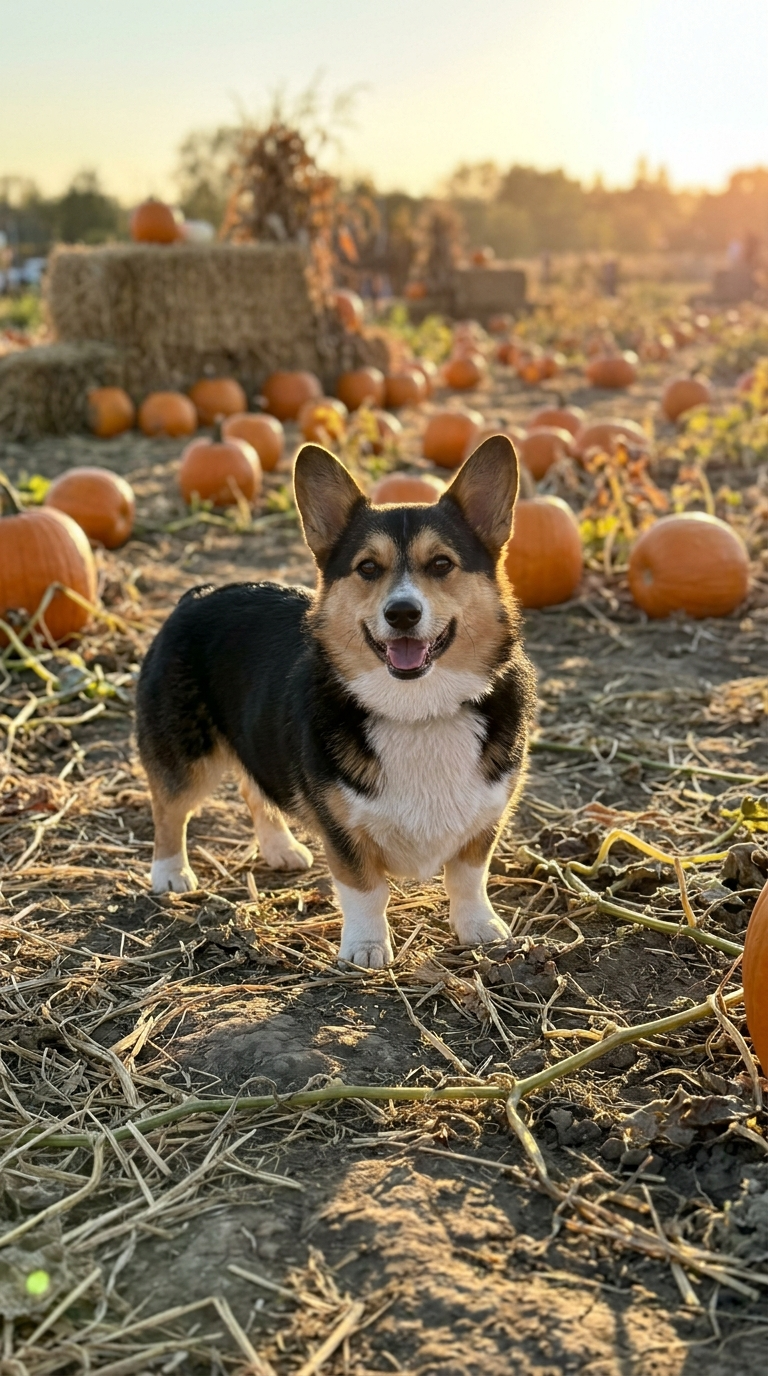
Our own AI-generated example pets, the kind of photo that works best. The clip at the top of the page was made here from the white cat with Both paws at 480p.
 Made with Oraclip
Example input: an AI-generated white cat
By OraClip input photo
 Made with Oraclip
Example input: an AI-generated beagle
By OraClip input photo
 Made with Oraclip
Example input: an AI-generated corgi
By OraClip input photo
Tap a clip to play it with sound. Example photos and the sample clip are AI-generated by OraClip; no real pets or people are shown. contact@oraclip.com
How to make a paws at you AI video
- 1
Upload one photo of your pet
A sharp photo of one cat or dog with its face, eyes and front paws in view works best. Any shape is fine; the clip is always vertical.
- 2
Pick the pose
One paw on the lens, both paws together like the original snow leopard, or the snowy snow leopard look. Add a detail such as the room or a blanket if you like.
- 3
Generate
Seedance 2.0 Mini makes a 5-second 9:16 clip. It usually takes a few minutes and lands in your Library.
- 4
Add the caption and post
Write “*paws at you*” and your request on top in TikTok, Instagram or CapCut, then post it as a Reel, TikTok, Short or a reply on X.
Three ways your pet can paw at you
Pick one in the generator, or tap a card to load it.
One paw
Your pet leans in and presses one front paw to the lens. The most natural pose for cats and dogs.
Both paws
Both front paws side by side on the lens, wide eyes over them: the original Mei Mei pose.
Snow leopard look
Same paw-to-lens moment, outdoors in soft falling snow with a cool blue-grey background like the snow leopard photo. Your pet keeps its own fur and face.
Pet photos that work best
- One pet, sharp, in good light
- Face and eyes clearly visible, looking roughly at the camera
- Front paws in view
- Taken at your pet’s eye level
Weaker results
- Two or more pets, or a person holding the pet
- Dark, blurry or far-away shots
- A pet curled up with its paws hidden
- Heavy filters, costumes or stickers over the face
What goes wrong, and how to fix it
| Problem | Fix |
|---|---|
| The pet does not look like mine | Use a sharper photo with the face in full view, or switch to 720p. Results vary from run to run, so generating again often helps. |
| The paw never reaches the lens | Pick “One paw”, or add “paw pressed flat on the lens” in the detail box. |
| Extra legs or odd paws | Generate again. A photo with the front paws clearly visible makes this rarer. |
| The loop has a jump at the end | Trim a few frames at the end in CapCut or your phone’s editor, or set the clip to boomerang. |
How to post your paws at you clip
Put the caption on top: “*paws at you*” followed by what your pet wants, such as “can I have a treat” or “can you stream your game for me”. Loop it, or post it as a reply when you want someone’s attention.
Keep the AI label on when you post (TikTok: “AI-generated content”; Instagram: “AI info”). The clip is 9:16, so it fits Reels, TikTok, Shorts and X.
Fine-tune your video
Same prompt, full controls: switch the model, length or aspect ratio, attach a reference video, then generate.
Paws at You AI FAQ
What does *paws at you* mean?
It is a playful, cat-like way to get someone’s attention in a chat, often followed by :3 or a request. In late October 2026 it went viral on X with a close-up of a snow leopard, often called Mei Mei, pressing its paws toward the camera.
How do I make my cat or dog paw at the camera?
Upload one photo of your pet, pick One paw, Both paws or Snow leopard look, and press Generate. You get a 5-second vertical clip of your pet leaning in and reaching a paw to the lens in your Library.
Which AI model makes the video?
Seedance 2.0 Mini, ByteDance’s fast, low-cost video model, at 480p by default. Pick 720p for a sharper face and paws.
How many credits does it cost?
A 5-second clip costs 240 credits at 480p (the default) or 510 credits at 720p. Your photo is a free input. Failed renders are refunded automatically.
Can I make it for free?
Signing up is free (no card) and new accounts get 100 credits, valid for 5 days (one grant per email). They cover images and a short test video: the cheapest clip is 20 credits, and Grok Imagine Video 1.5 makes up to 8 seconds at 480p for 100 credits. Chatting with the agent is free. Longer or higher-resolution videos need a plan or a one-time credit pack. The exact cost shows before every render, and failed renders are refunded.
Will it look like my pet?
The prompt asks the model to keep your pet’s breed, face, eye colour, fur and markings from the photo. AI video still varies from run to run, so a sharp, well-lit photo of the face helps most, and generating again often fixes a miss.
Does it work with dogs, rabbits or other pets?
Cats look closest to the original and dogs work well too. Other furry pets such as rabbits can work, but results vary more.
Is it a seamless loop?
The clip is written to end in the same pose it starts in, so it loops well on TikTok and Reels. If there is a small jump, trim the last few frames or post it as a boomerang.
Does the video include the “paws at you” text?
No. The clip has no text, so you can add your own caption in TikTok, Instagram, X or CapCut.
More pet trends
Get your pet pawing at you while the meme is hot
One pet photo, a 5-second vertical clip that loops.