
How to Make a No Ordinary Love AI Video From a Couple Photo
Turn a couple photo into the viral No Ordinary Love 2D animated music video: 4 steps, the 4-shot storyboard, prices from 320 credits, face tips and the prompt.
 Oraclip Team
The No Ordinary Love AI trend is a short, hand-drawn style 2D love story in a rainy city, and everyone who sees it asks the same thing: can I make one with my partner? You can. This guide shows how to turn a couple photo (or one photo of each of you) into a 15-second, 4-shot animated music video, what each quality costs, how to get faces that look like you, and the exact prompt structure we use, so you can judge the result before you spend anything.
Make it now: No Ordinary Love AI →
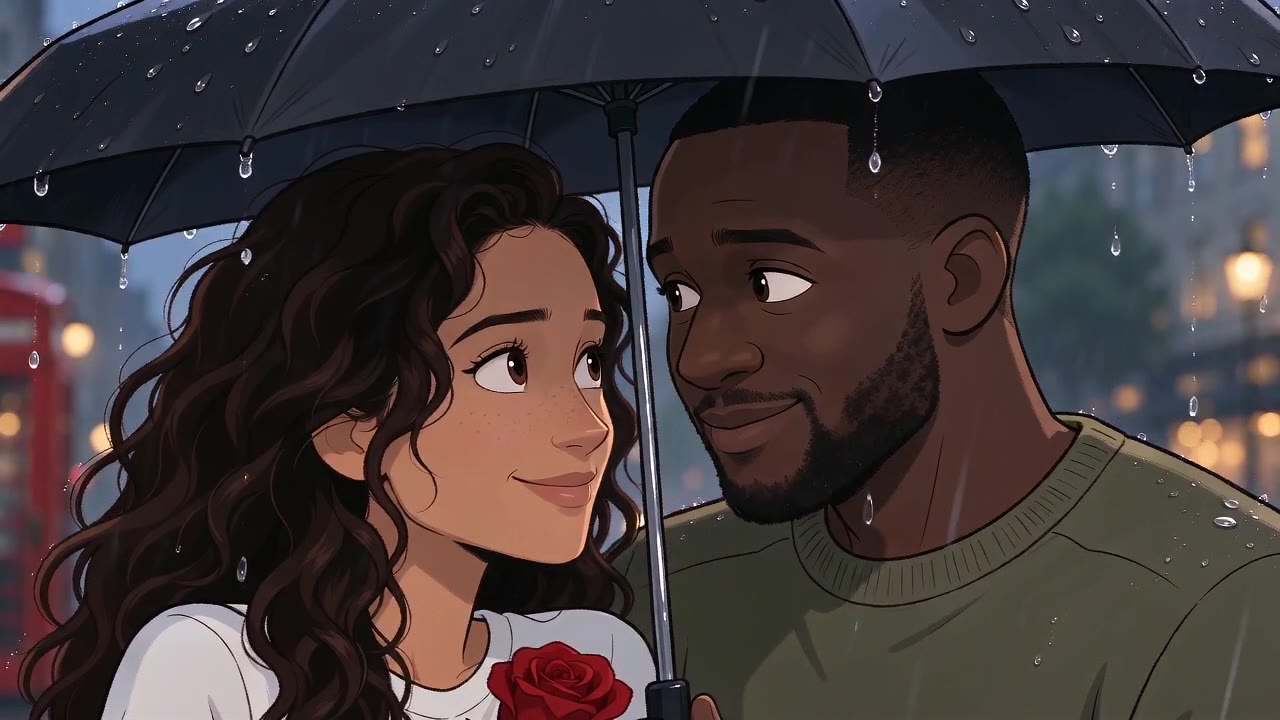
▶ Watch the full 15-second sample (Rainy London, HD 720p, nothing retouched).
What you are making
The original No Ordinary Love animation by @antrofrog_ on X is about a minute long and cut from many shots. A one-click version has to be shorter, so the No Ordinary Love AI page makes one tight 15-second scene with four shots:
| Shot | Time | What happens (Rainy London) |
|---|---|---|
| 1 · Meet | 0–4 s | Wide shot: you notice each other across the wet street and smile |
| 2 · Gesture | 4–8 s | One of you offers a single red rose, the other laughs and takes it |
| 3 · Close | 8–12 s | The rain picks up, you share a black umbrella and look at each other |
| 4 · Together | 12–15 s | From behind, you walk off together as a red bus passes |
Paris at sunset swaps the rose for a bicycle ride along the Seine, Tokyo in the rain is a clear umbrella at a neon crossing, and New York in the snow is a cup of cocoa and a shared scarf. There is no dialogue and no lip sync, and shop signs stay blank, so there is no garbled AI lettering in the frame.
How to make a No Ordinary Love AI video (4 steps)
- Add your photos. Two solo photos, one of each of you, give the closest likeness. One couple photo works too if both faces are clear. Adults only.
- Pick a city and a shape. Rainy London (like the original), Paris at sunset, Tokyo in the rain or New York in the snow. Wide 16:9 for X and YouTube, vertical 9:16 for TikTok, Reels and Shorts.
- Check the 2D scene. We first draw the two of you as hand-drawn characters in that city with Seedream 5.0. This one frame sets the faces, hair, outfits and colours for the whole video. If a face is off, redraw it (up to 6 drawings in total).
- Animate it. Confirm the scene and Seedance turns it into the 15-second clip, with a licensed slow soul track. It takes about 3–5 minutes, keeps running if you close the page, and lands in your Library.
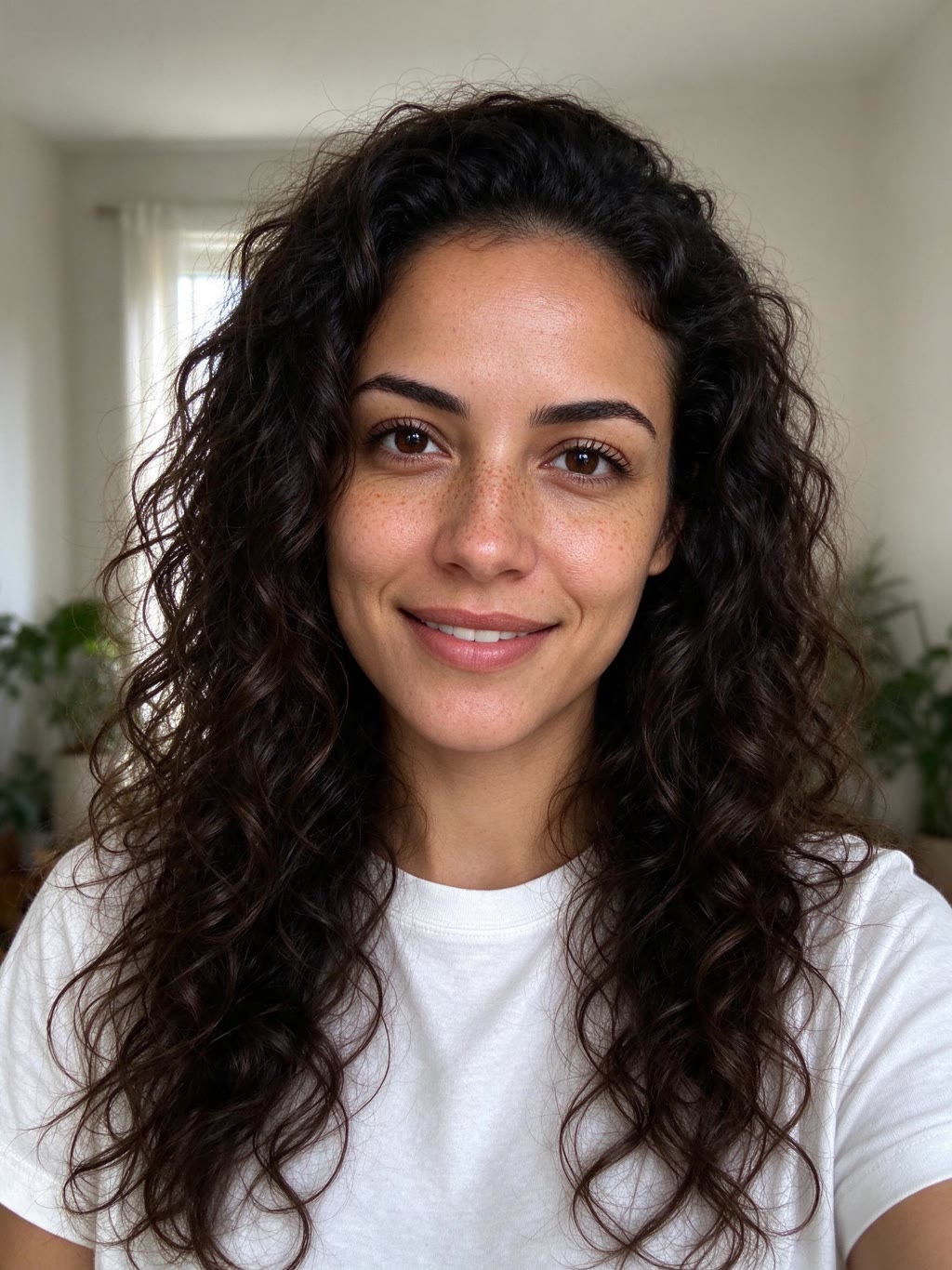
The sample at the top was made from exactly two photos like this one: a front-facing, evenly lit portrait of each (fictional) person. Compare the faces, curls, white T-shirt and green jumper with the drawn version: the scene keeps them, and the video keeps the scene.
Price: 480p, 720p or Premium
| Quality | Video model | Credits for 15 s |
|---|---|---|
| Standard 480p | Seedance 2.0 Mini | 320 |
| HD 720p (default) | Seedance 2.0 Mini | 660 |
| Premium 720p | Seedance 2.5 | 4,820 |
| Each extra scene redraw | Seedream 5.0 | 20 |
Every price includes the first scene: 20 credits are charged when it is drawn, the rest only when you confirm it and the video starts. Failed renders are refunded automatically; there is no free redo of a finished video, so take your time on the scene step. HD is the sweet spot for posting. Premium uses Seedance 2.5, the model the original creator credits for the animation, and is for when you want the smoothest motion. Credits come from a plan or a one-time pack on the pricing page.
Tips for faces that look like you
- Use two solo photos. One sharp, front-facing photo each beats a couple selfie where one face is small or turned.
- Even light, nothing over the eyes. No sunglasses, masks, heavy filters or face stickers.
- Dress for the video. The outfit colours in your photos are the outfits in the clip.
- Spend credits on the scene, not the video. A redraw is 20 credits; a video is 300 or more. Redraw until both faces read as you, then animate once.
- Wide or vertical before you draw. The shape is fixed by the scene, so pick 9:16 first if you are posting to TikTok or Reels.
The prompt behind it (if you want to try it elsewhere)
You do not type a prompt on the page; it is written for each city so the result stays consistent. If you are rebuilding the look in your own tools, this is the structure that worked best in our tests:
- Draw one still first. Ask an image model to redraw the two people "as characters in a frame from a hand-drawn 2D animated feature film: bold clean ink outlines, flat colour fills with two-tone cel shadows, a softly painted background, no photographic skin texture, not a photo filter", then describe the street, keep "each person's hairstyle, hair colour, skin tone, face shape and outfit colours", and forbid all text: "shop signs, posters and street signs are blank shapes".
- Animate from that one still. Give the still to the video model as the only reference and write the shots with timestamps: "Shot 1 (0-4s): wide shot of the rainy London street, the two notice each other across the road and smile. Shot 2 (4-8s): …". Add "no dialogue, no lip sync, no text anywhere".
- Keep the action simple. Walking, offering and looking hold up; umbrella twirls and other busy prop tricks came out awkward in our tests.
About the music
The original uses Sade's "No Ordinary Love". That recording is copyrighted and we cannot license it to you, so your clip comes with "Almost True", a slow instrumental soul track from Pixabay Music that is cleared for commercial use. If you want Sade's song, add it yourself from the TikTok or Instagram music library when you post; their licence then covers it.
FAQ
How do I make the No Ordinary Love AI video with my partner?
Open the No Ordinary Love AI page, add one photo of each of you (or one couple photo), pick a city and a shape, check the 2D scene we draw and confirm it. The 15-second animated clip is ready in about 3 to 5 minutes.
How much does a No Ordinary Love AI video cost?
320 credits at Standard 480p, 660 at HD 720p and 4,820 at Premium (Seedance 2.5), first scene included. Each extra scene redraw is 20 credits, and failed renders are refunded.
Can I make it for free?
New accounts get a small batch of free signup credits, but a full 15-second No Ordinary Love video starts at 320 credits, so you need a plan or a one-time credit pack for the video itself.
Will the cartoon version look like us?
You approve the drawn scene before any video is made, and the video copies faces, hair and outfits from it. Two clear solo photos give the closest match; if a face is off, redraw the scene for 20 credits.
Can I use Sade's song "No Ordinary Love"?
Not from Oraclip: the song is copyrighted, so your clip uses a licensed royalty-free slow soul track. You can add the original from the TikTok or Instagram music library yourself when you post.
Can I make it vertical for TikTok or Reels?
Yes. Choose Vertical 9:16 before you draw the scene. Wide 16:9 is the default, like the original.
Related reading
Want the story behind the trend first? Read No Ordinary Love AI trend explained. Into couple trends? Try Zombie Couple AI too.
Make your No Ordinary Love AI video →
Oraclip is independent and not affiliated with Sade, her labels or @antrofrog_. The sample couple is AI-generated and fictional.