
How to Make the Fish Cutting Meme from a Photo
Learn how to make the Fish Cutting Meme from one photo. Follow OraClip screenshots to choose You, Dad or Pet, check the credit price, and make a vertical clip.
 Oraclip Team
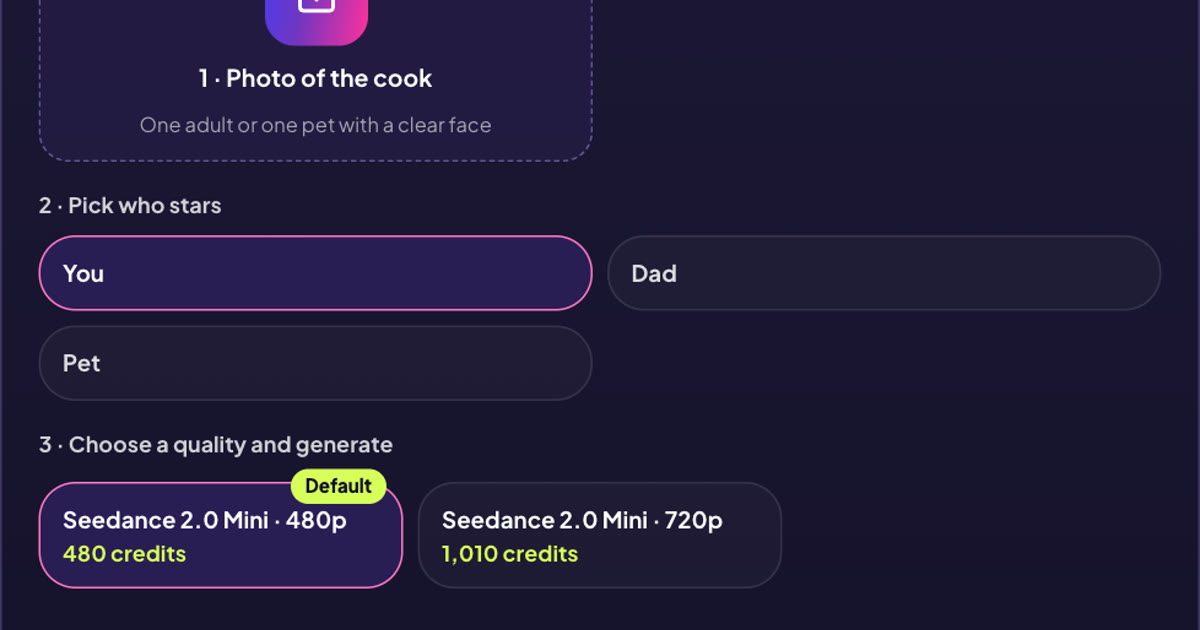
If you want to know how to make the Fish Cutting Meme with your own face, start with one clear photo. OraClip has three roles, You, Dad, and Pet. All three make a 10-second vertical kitchen clip. The camera stays put while the cook in a black cowboy hat cuts a fish so large it nearly takes up the counter.
You can follow the screenshots below up to the final button without starting a paid render. They show the live page, including the two quality options and their credit quotes.
How to make the Fish Cutting Meme from one photo
1. Add a photo of the cook
The upload tile says Photo of the cook. Add one photo of the adult or pet you want behind the counter. For yourself or Dad, pick a shot with a clear face, even light, and enough space around the head for the hat. If you have a good group photo, crop it to the adult who agreed to be in the clip and check that the face is still sharp.
For a pet, get down to its eye level if you are taking a new picture. A sharp image of one animal with visible ears and eyes gives you details to check later. Coat markings matter more here than a tidy background. A distinctive stripe or patch is one of the quickest ways to tell whether the model has kept your pet's look.
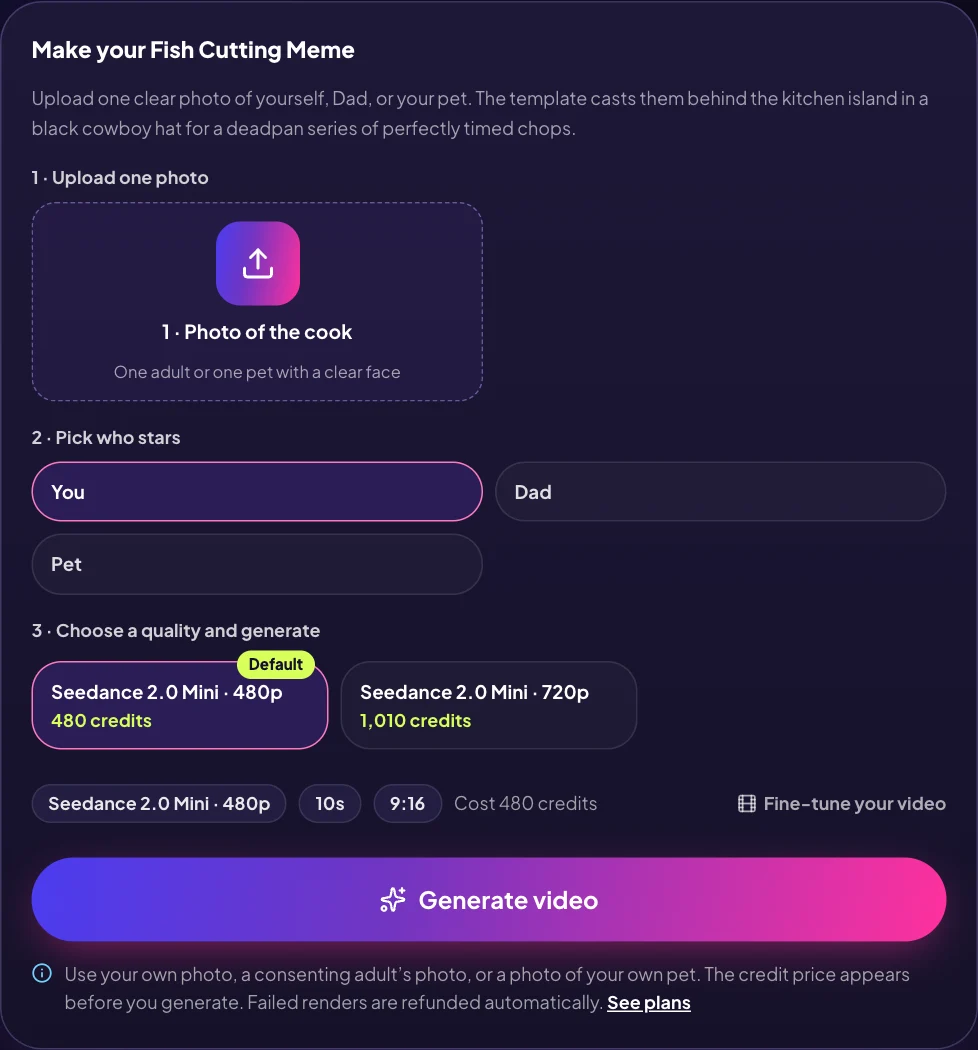
You can use an existing phone photo. The kitchen and fish are part of the preset. A real cleaver, fish, kitchen, or original video file is unnecessary. Use your own photo, a photo of an adult who agreed, or a photo of your own pet.
2. Choose You, Dad, or Pet
You makes you the serious cook. It suits a caption about a tiny task you take far too seriously. Try a bill split, perfectly even slices of cake, or the effort you put into trimming one second from a video.
Dad is the same visual setup with a different character cue. It works when the joke is about somebody who treats dinner portions as an exact science. Use a picture of the person you actually want to cast and let the caption explain the family joke.
Pet asks for a stylized upright animal chef. The prompt keeps the uploaded animal's species, ears, muzzle, and markings and describes chef-gloved hands for the cooking action. If the collar matters to you, keep it visible in the source photo. Give the model one animal to work with.
The preset supplies the scene. You can make your choice without writing a prompt or filming the kitchen action.
3. Read the quote before you press Generate video
The quality picker offers 480p and 720p. In the live UI we checked, the 10-second 480p option displayed 480 credits and 720p displayed 1,010 credits. Use the quote shown on your screen for the current price. Both options use Seedance 2.0 Mini and keep the same 9:16 frame and 10-second length.
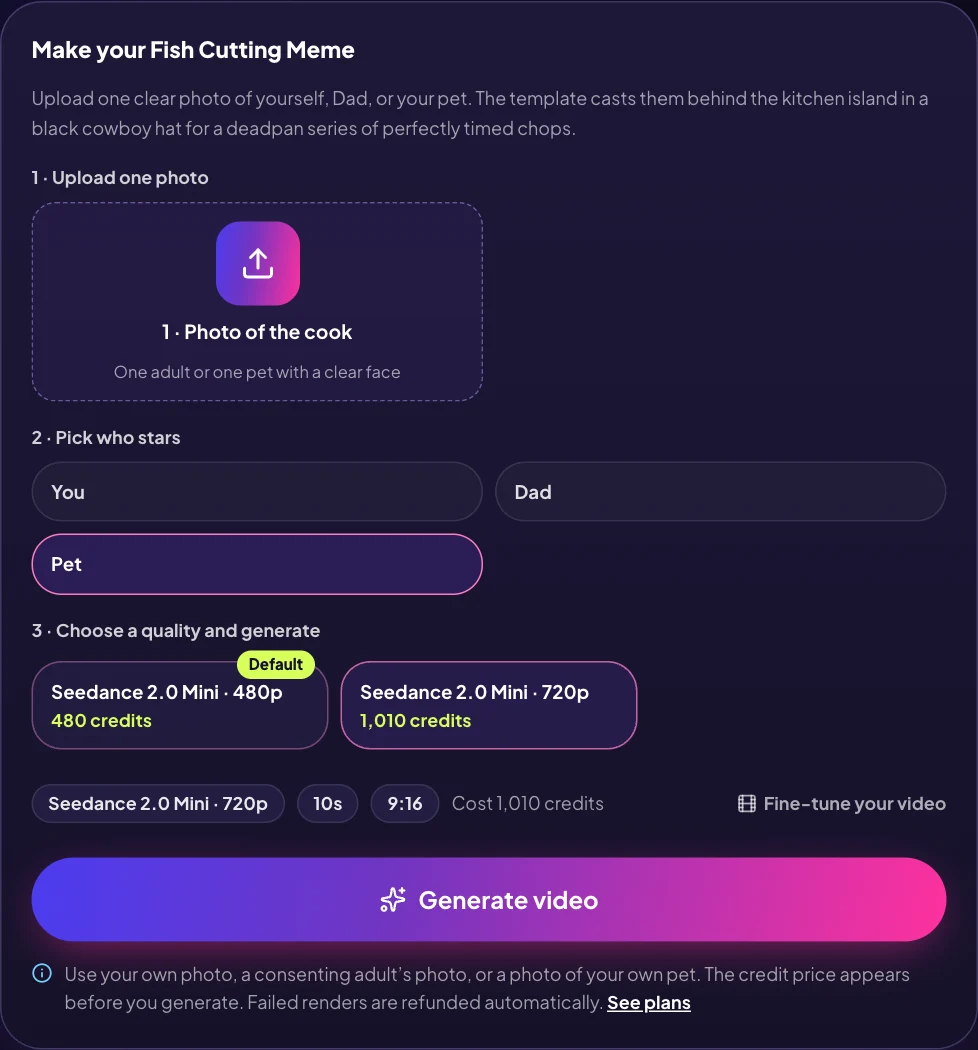
Try 480p when you chiefly want to see how well the face reads at phone size. The higher setting is useful if finer details matter and you already like the photo you picked. Switching quality leaves the cast, kitchen framing, and length alone.
Press Generate video when you are happy with the photo, role and quote. An empty upload sends you back to choose a photo. If a render fails, the page says credits are returned automatically. The screenshots stop before generation, so the quality quote is visible without showing a charged render.
What to check when the clip is ready
Watch the face, then watch the counter
Play the whole clip once at the size you expect friends to see it. Can you recognize the person or pet before the first chop? With a person, check glasses, hair and expression. With a pet, check ears and coat markings. A face that reads clearly when paused may be harder to make out once the cook looks down.
Play it again and look across the counter. The joke needs a fish that is visibly huge and a row of cuts that appears to grow. The hat and cleaver signal the source, but the scale and spacing are what make the scene funny. A single wonky cut is easier to live with than a fish that changes shape halfway through.
Fix the input you can control
If a face is hard to recognize, change the photo before spending more credits on another attempt. A smaller crop can help when the face is far away. Pick a different source shot if cropping leaves the face blurry. For pets, a clear front or three-quarter view usually gives you more visible markings than a shot from above.
Review the result with sound off as well. If the rhythm and expression already read, a caption can carry the joke on a muted feed. The source Reel is there to show how the pattern works. OraClip builds the scene from your photo and its own preset, so the original cut times and audio are separate from your result.
Choose the photo before choosing the higher quality
Start with two photos you already have and compare them on your phone. Zoom out until each face is about the size it would be in a group video. Use the one you can still recognize from that distance. If both faces are clear, choose the one with fewer objects close to the head. A hand, the edge of a phone, or the brim of a hat in the source can obscure the details you want the clip to keep.
A phone checklist for a first attempt
- Check the subject. You should be able to point to one person or one pet. Keep their whole head in the image.
- Check the light. A face lit from the front is easier to read than a face against a bright window. A pet with dark fur needs enough light to show its muzzle and eyes.
- Check the role. A good picture of your dog still belongs in Pet. You and Dad describe human cooks. Keep the photo and role paired before you check the quote.
- Check the frame. The output is tall even if the uploaded photo is wide. The kitchen shot is part of the preset. You can judge your photo on how clearly it identifies the subject.
Save the first result you like before trying another photo or caption. Change one thing per attempt so you can compare two clips without having to guess which change made the difference. Quality changes the number of pixels in the result. A sharper source gives the model a better starting point at either setting.
Write the caption around the task
A single short line works when it gives the viewer something specific to watch for. A caption about making dinner is broad. A caption about Dad promising everyone exactly the same size slice makes the row of cuts the punchline.
- You: “Me splitting the bill to the cent.”
- Dad: “Everyone gets exactly the same size piece.”
- Pet: “My cat when the meal plan says seven equal portions.”
Try the caption above the subject in your posting app and check the lower part of the frame. The fish, the row of portions, and the cleaver should remain visible. Platform buttons and captions can cover a surprising amount of a tall clip. Preview the post on your phone before sharing it.
The original example is the Cowboy Lew Reel. For the caption's trading meaning and a closer look at its timing, see the Precise Entries meme explainer.
Fish Cutting Meme FAQ
Can I make it with a cat or dog?
Yes. Use Pet and upload one clear photo of your animal. Pick a picture in which you can easily see the eyes, ears and main coat markings.
Does the template use the original video as an input?
The Reel is a source you can watch. The generation request uses your photo and the selected kitchen preset. The output can vary from the original and from one run to the next.
Which video shape should I expect?
The preset is a 10-second 9:16 video at 480p or 720p. You can review the displayed credit quote before starting.
How should I label the clip when posting?
Check the destination's policy before posting. TikTok's AI-generated content help covers its creator label. YouTube's disclosure guide explains the AI-use setting in Studio.
Sources and further reading
The original Reel above is the source for the visual gag. Independent references describe the same scene and show how other templates handle input, framing and cost. Those settings belong to their own tools. Viral Memes source notes, Jump on the Trend overview, MakeViral template, MimicZip walkthrough, Viberot guide.
How to make the Fish Cutting Meme in OraClip
Choose one photo and decide who gets the hat. You can see the original Reel and the current quality quote next to the generator. Open the Fish Cutting Meme generator.