
How to Make a Christmas PFP From Your Selfie: Manga Santa Hat
How to make a Christmas PFP from your selfie: a black-and-white manga Santa-hat look, square crop tips, and an 8-second 1:1 video.
 Oraclip Team
How to make a Christmas PFP from your selfie: start with a clear photo of your own face, decide on a festive look, and turn that photo into a square image you can actually use as an avatar. This guide explains what a Christmas PFP is, describes the 2026 black-and-white manga look with only the Santa hat in red, and walks through photography, square crop and how to get a still frame from a short square video. If you want Oraclip to build the 8-second slideshow for you, the tool is on the Christmas PFP AI page, which also sits on the AI Christmas video generator hub.
Open the generator: Christmas PFP AI →
Image: Oraclip typographic card for the Christmas PFP AI page. It is not a model sample and not a screenshot of a finished avatar.
Oraclip's page is its own AI take on a festive profile picture, made from your photos. It is not a CapCut template, and Oraclip is not affiliated with CapCut, TikTok, or the creators whose original posts are linked here as style references.
What a Christmas PFP is
PFP is short for profile picture: the small square (or circle) avatar that stands in for you on a chat app, a social account, a forum or a game. A Christmas PFP is simply that avatar for the festive season — often a portrait with a Santa hat, winter clothes or a Christmas background, cropped so the face still reads at the size of a thumb.
People look up “Christmas PFP ideas” and “how to make a Christmas PFP from your selfie” because a good avatar has rules that a full-size photo does not. The crop is tight. The face has to sit in the middle, with a little room around the hair and hat so messaging apps do not cut them off. Busy backgrounds disappear. Anything that only works as a wide, detailed illustration will fail once it is shrunk into a circle.
This article is a how-to and an ideas guide. The Christmas PFP AI page is the generator you can use if you want a short video in that manga-and-red-hat look. The two are related, but they are not the same page: the blog explains the format; the tool makes an 8-second square clip from one or two of your photos.
The 2026 red-hat manga look
One look that has been circulating in 2026 Christmas profile pictures is a black-and-white manga-panel slideshow: several inked frames of the same person, cut like a short comic, with only the Santa hat in colour — a clear red — against a quiet snowy night street, street lamps and falling snow. The rest of the frame stays grey, black and white: skin, hair, clothes, windows and snow.
That description is about the aesthetic, not about a scored “viral trend.” This guide does not invent view counts, rankings or official start dates, and it does not treat any one post as a template you must copy. Two public posts are useful as style references, and they are not Oraclip results:
- TikTok @baixy__ posted a black-and-white panel sequence with a red Santa hat over snow. Anime-style characters appear in that original, so it is a style reference only — not a promise that Oraclip will draw the same characters, and not an Oraclip or AI Greeting Video sample. View counts on that post have not been independently verified here, so they are not repeated. The card below is typographic; the original video is not re-hosted on this page.
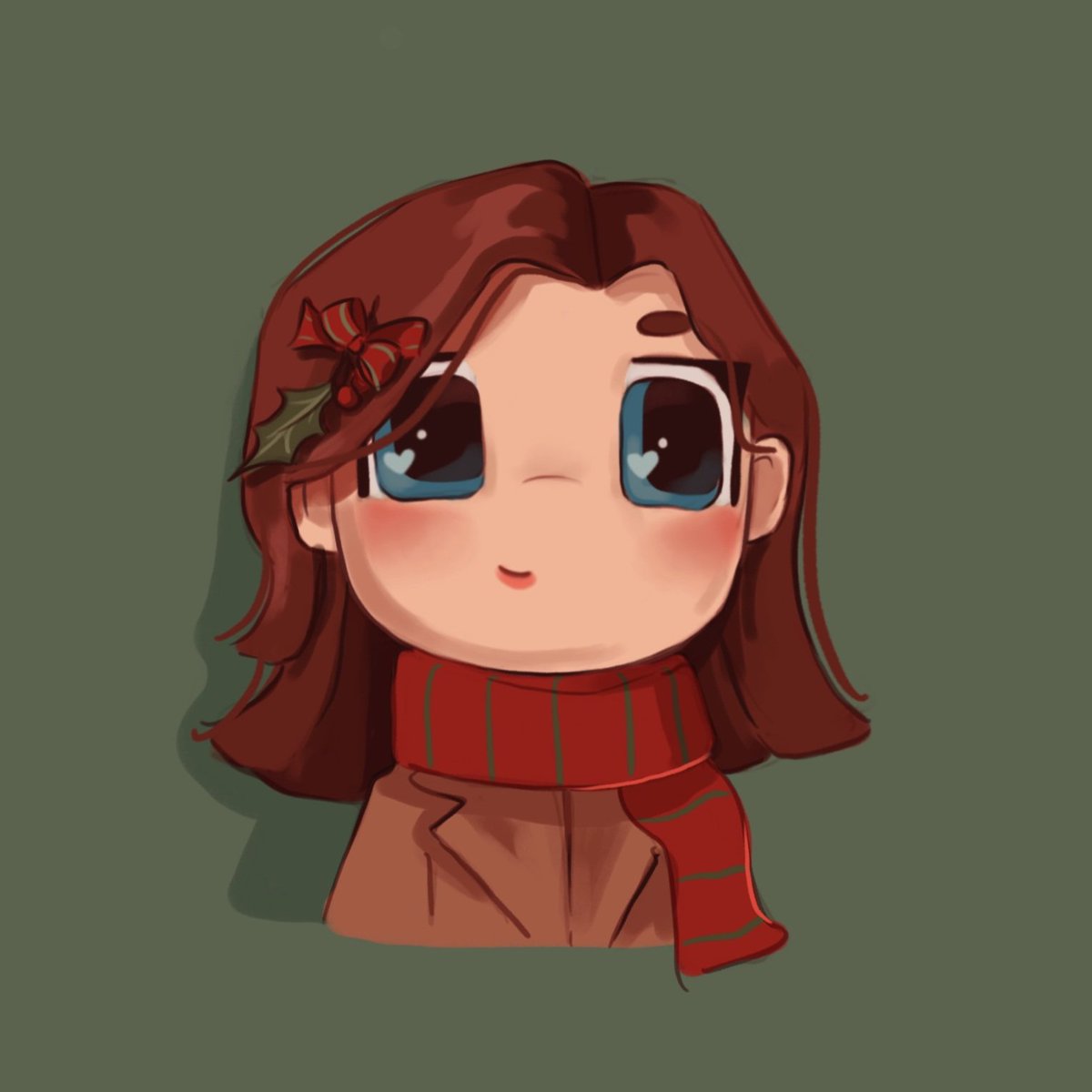
- X @salastkiss posted their own illustrated festive PFP (a chibi-style portrait, not monochrome manga and not a Santa hat). It is an original post by that creator, shown here as a trend-inspiration reference, not as Oraclip output.
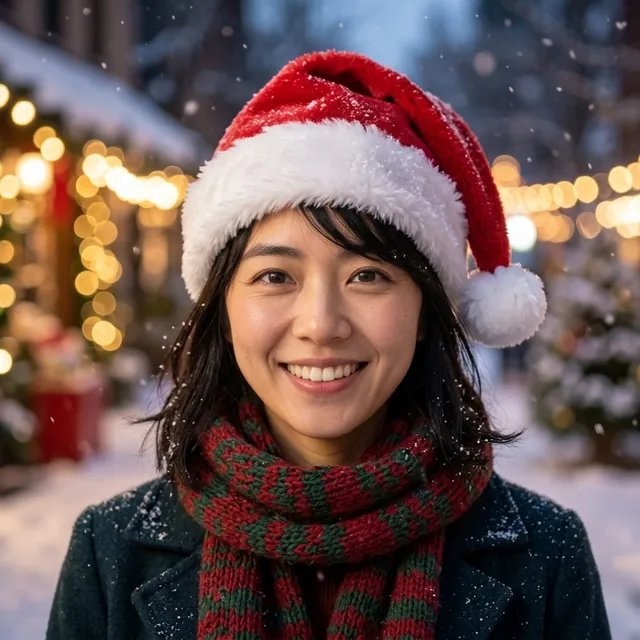
A different, photoreal or colour-cartoon Christmas PFP exists on the sister site AI Greeting Video. Those stills are sister-site examples, not Oraclip output, and they do not demonstrate the black-and-white manga slideshow the Oraclip page is built to generate.
If you want an original manga version of your face, do not ask a model for an existing anime, game or film character, and do not upload a still of someone famous. The useful prompt is always “me, in this style,” not “make me look like [a franchise].”
Photography tips for a selfie that can become a PFP
A Christmas PFP lives or dies on the source photo. For a selfie you plan to redraw or crop:
- One adult, or one pet, as the hero. Head and shoulders, face toward the camera, both eyes visible. A slightly longer crop (upper chest) leaves room to drop a Santa hat on the head without covering the eyes.
- Even light. Daylight by a window, or a bright room, beats a neon filter, a heavy beauty preset or a backlit silhouette. The model and the crop both need a readable face.
- Your real hair, glasses and skin. If you wear glasses, keep them; a surprise pair in the output is usually worse than a pair the photo already shows. Avoid sunglasses that hide the eyes.
- A plain-enough background. A busy street or a party can be redrawn into snow later, but a second face in the frame will confuse both a crop and a generator.
- Sharpness over styling. A slightly boring, sharp photo beats a moody, soft one. Zoom the preview to 100% and check the eyes before you upload.
Skip photos of children or anyone under 18, group shots of three or more, photos of celebrities or public figures, and anyone who has not agreed to be in the avatar. Only use a photo of yourself, your own pet, or an adult who said yes.
For a couple or a friend, two clear photos (one person each) are usually more reliable than one tight selfie of both of you, because each face can be read on its own. That is an input tip, not a promise of two matching still avatars at the end.
Square crop and safe composition
Most apps display a PFP as a square and then mask it into a circle. A photo that looks fine as a 3:4 story can lose the top of a Santa hat or the chin once it is circle-cropped.
Leave a margin. Put the eyes a little above the centre, keep the hat fully inside the square, and avoid placing the face so large that the ears or the hat brim sit on the edge. If you are cropping by hand, start from a 1:1 canvas and check the result at a small size — about the width of a thumb — not only at full screen.
Safe composition for this manga look specifically:
- the red hat is complete in every panel you might pause on;
- the face is large enough to read at avatar size, but not so tight that a circle cuts the jaw;
- snow, lamps and the street stay in the background, not over the eyes;
- there is no small text, watermark or date in the frame — those become noise at 48 pixels.
How a square slideshow video can give you a frame
Oraclip's Christmas PFP page does not output a static JPG or PNG, and it does not include a built-in frame-export button. What it makes is an 8-second, 1:1 (square) video. The manga look is a short sequence of panels, so the useful still is often one frame in that sequence, not a separate download.
To use a frame as your avatar you pause the clip on the panel you like and take a screenshot, or you extract a frame in a video editor on your phone or computer. That last step is yours. It is not an official still-download feature, and this guide does not pretend otherwise.
A square video is still a convenient source: you do not have to guess a 9:16-to-1:1 crop after the fact, and you can choose the panel where the hat, the eyes and the snow sit most comfortably. If you need a still for an app that only accepts an image file, export or screenshot that frame, then check the circle crop in the app before you set it.
How to make a Christmas PFP on Oraclip
You do not write the full model prompt yourself on this page. You upload a photo, pick a look, and the page builds an original black-and-white manga slideshow with only the Santa hat in red.
Step 1: upload one or two photos
Open Christmas PFP AI. Photo 1 is the person or pet who should be recognisable in every panel. Photo 2 is optional: a partner, a friend, or you with the pet. One photo is enough for the default “you” look.
Step 2: pick a look
- You in a red-hat manga (default): one adult from photo 1, in original black-and-white panels, hat in red, snowy night street behind.
- Couple or friend: a second adult from photo 2 appears with you in the same 8-second slideshow. This is not a split-half still, and it is not two separate avatar files to download.
- Pet in a red hat: your dog or cat in a small red hat in the same kind of slideshow. A second photo can show you with them. Again, the output is one video, not a guaranteed pair of matching stills.
These looks are supported as 1–2 photo inputs. Treat couple and pet versions as ideas the generator can attempt, not as a promise that every face or every pet will be a perfect likeness, and not as a promise of matching static avatars.
Step 3: generate the 8-second square video
The clip is 8 seconds, 1:1, made with Seedance 2.0 Mini. There is no free preview: every render uses credits, and failed renders are refunded automatically. The exact price is shown before you generate.
Using Oraclip's shared credit formula for this model, length and resolution, an 8-second clip costs 390 credits at 480p (the default) or 810 credits at 720p. The photos themselves are not a separate charge. 480p is enough for most chat avatars; 720p is sharper if you care about the line work when you pause a frame. Plans and packs are on the pricing page.
The page overlays a licensed festive track on the result. It does not use a trend's original sound, and it is not a CapCut template.
Step 4: watch the clip, then take a frame if you need a still
Watch the whole 8 seconds. Check that the face (or the pet) still looks like the photo, that nobody new has appeared, and that the hat stays red while the rest stays monochrome. If a face softens, try a sharper, more frontal photo rather than inventing a longer prompt.
When you post the video, say it was made with AI. If you want a still PFP, pause and screenshot, or extract a frame in your own editor. Identity can drift; this page does not guarantee a perfect likeness, and this guide will not claim one without a paid, reviewed sample — there is no Oraclip-generated sample in this article.
Prompt ideas for an original own-face look
You do not have to paste a prompt into the Oraclip generator; the page already specifies the manga panels, the red hat and the snowy street. These lines are here if you are thinking about the look, or if you ever describe it elsewhere. They are written for your own face, not for a franchise character.
- “Square 1:1, several original black-and-white manga panels of the adult in my photo, only a red Santa hat in colour, snowy night street and falling snow, no text.”
- “The same person in every panel, close-up then a slightly wider street beat, clean cuts like a comic page, hat stays red, everything else grey.”
- For two adults: “Both people from my two photos in the same panels, each in a red Santa hat, still monochrome except the hats.”
- For a pet: “The pet from my photo in a small red Santa hat, original manga style, snowy street, no other characters unless I also included the owner photo.”
Do not name existing anime, game or film characters, and do not ask the model to “turn me into” one. “Original manga style of me” is the useful instruction. Children and famous people do not belong in the prompt or in the upload.
FAQ
How do I make a Christmas PFP from my selfie?
Start with a sharp head-and-shoulders photo of yourself (or an adult who agreed). On Christmas PFP AI you upload that photo, pick a look, and generate an 8-second square manga slideshow with only the Santa hat in red. If you need a still avatar, pause a frame and screenshot it, or extract the frame in a video editor. The page does not offer a static download in this version.
What does PFP mean?
PFP means profile picture: the small avatar on an account or chat. A Christmas PFP is that picture with a festive look. It has to read at a very small size, which is why a tight, square crop and a clear face matter more than a busy full-scene illustration.
Does Oraclip give me a static Christmas PFP file?
No. Oraclip makes an 8-second 1:1 video. There is no official still-download button and no built-in frame export on this page. Taking a screenshot or extracting a frame is a separate action you do yourself.
How many credits does a Christmas PFP video cost?
For Seedance 2.0 Mini, 8 seconds, the shared credit formula comes to 390 credits at 480p or 810 credits at 720p. There is no free generation. Failed renders are refunded automatically. Check the price on the page before you run it; pricing explains packs and plans.
Can I make a couple or pet Christmas PFP?
You can upload a second photo of a partner, a friend or (for the pet look) an owner. The result is still one 8-second video, not a guaranteed pair of matching still avatars, and not a split-half download. Likeness is not guaranteed. Only use photos of people or pets you have the right to use.
Will it still look like me?
The page is designed to use your photo as an identity reference and to keep your face, hair and skin tone. That is the intent, not a guarantee. This guide does not claim perfect identity preservation, and it does not show an untested render as an Oraclip sample.
Is this a CapCut template or someone else's anime character?
No. The generator is Oraclip's own take, from your photos, in an original manga style. It is not a CapCut template, it is not affiliated with CapCut or TikTok, and it is not a way to request a copyrighted anime or game character as your avatar.
More Christmas videos
- Christmas PFP AI — the 8-second square manga slideshow from your selfie.
- AI Christmas video generator — the Christmas hub with the other video tools.
- Christmas Photobooth AI — a vintage sepia photo-strip video from one or two photos.
- Christmas photo to video — an 8-second vertical clip from one Christmas photo.
- All trends and pricing.
Selfie ready? Make the Christmas PFP video →