
How to Make a Christmas Cat Snow Play Video From One Photo
How to make a Christmas Cat Snow Play video from one pet photo: the snowy run, falling hat and tumble, versus the three-cat lift. 7s, 9:16.
 Oraclip Team
If you want to know how to make a Christmas Cat Snow Play video from one pet photo, you do not need to film a kitten in the snow. The format is a short, vertical AI clip: under holiday lights, a small pet in a red Santa hat runs toward the camera through the snow, the hat falls, the pet tumbles, then it moves in close to the hat. You can make that clip on Oraclip from a single photo of your own cat or dog.
Open the generator: Christmas Cat Snow Play AI →
Video: the public reference post by TikTok @meowtakeover, re-hosted with credit and a link back to the original. It is an AI video, not an OraClip render, and it is removed on request. The soundtrack on that post has not been clearly identified, so OraClip does not use it as a default. Label every result you make as AI. OraClip is not affiliated with TikTok or the creator.
This article explains what the trend is, how the run-and-tumble beat differs from the same account’s three-cat lift, and how the Christmas Cat Snow Play AI page turns one photo into a 7-second 9:16 clip. It is a how-to. It is not a promise that every cat or dog will look identical to the reference kitten, and it does not invent remake counts or treat a third-party play figure as independently verified.
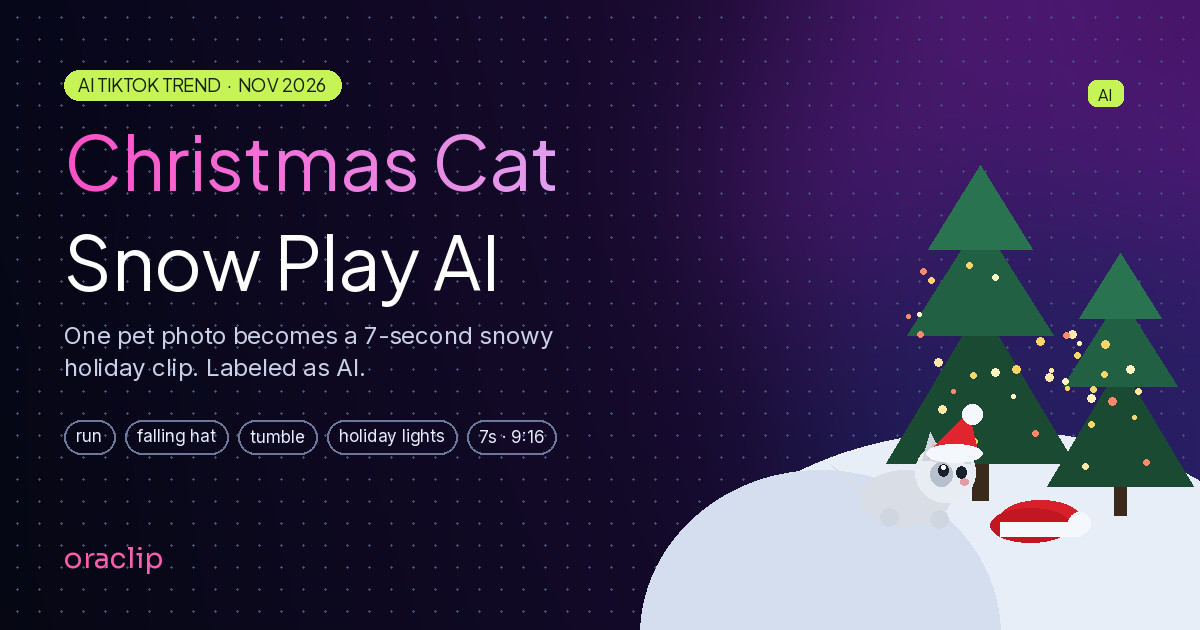
Image: OraClip typographic card for the Christmas Cat Snow Play AI page. It is not a model sample and not a screenshot of a finished render.
What the Christmas Cat Snow Play trend is
Christmas Cat Snow Play is a short festive pet sketch, usually vertical, usually only a few seconds long. In the reference clip, a gray-white kitten in a slightly oversized red Santa hat runs toward a phone camera across a snowy night plaza. Lit evergreens stand behind it. About two seconds in, the hat slips off and lands on the snow. The kitten then tumbles and rolls, and near the end it settles beside the fallen hat, looking toward the camera. A cream-colored second kitten sometimes joins for the roll. That companion is part of the scene in the original, not a second person you have to cast.
The public post that later pages have treated as the source is TikTok @meowtakeover, video 7707963812804185362. AI Trend Club listed that post as having gone up on 14 November 2026 and, when it wrote up the trend on 17 November 2026, cited a play count for the original. That figure is a third-party report from that date. It has not been independently confirmed here, so this guide does not repeat it as a live view count, and it does not invent how many remakes exist. Heat for this format has been discussed on TikTok; this article does not invent an X-volume claim.
The reference itself is already an AI video (a watermark is visible on the re-hosted file). When you use Christmas Cat Snow Play AI, you are not editing that file. You upload one photo of your own pet and get a new 7-second AI render. Say so when you post it.
OraClip’s page is its own AI take on this snowy pet sketch, made from your photo. OraClip is not affiliated with TikTok, AI Trend Club, or @meowtakeover. The unidentified soundtrack on the original post is not used as a default on OraClip, and there is no licensed Christmas-bells or snow-footsteps track in the library, so no stand-in song is added. If the model returns quiet ambience, it is kept; if a render is silent, it stays silent. You can add a sound later when you post.
This is not the three-cat lift (Cat Dip Dance)
The same account also posted a different clip around the same time: three cats lifting or holding something up in the snow, often with a red hat in the frame. That format is sometimes called Cat Dip Dance. It is easy to mix the two up, because both can show snow, night lights and a Santa hat.
They are not the same action.
- Christmas Cat Snow Play is a solo lead run toward the camera, a hat that falls onto the snow, a tumble or roll, and a close settle by the hat. A second kitten may appear as scene dressing during the roll. It is not a lift and not a group hold.
- Cat Dip Dance is the three-cat lift or hold. If you want that idea, this page is the wrong tool.
The Christmas Cat Snow Play AI generator is built only for the run, the falling red hat and the tumble. The prompt on the page says so in plain language, so you do not have to invent a description of a lift.
How to make a Christmas Cat Snow Play video from one photo
You need one clear photo of a pet you have the right to show, a few credits, and about a minute on the page. You do not film anything, and you do not have to write a prompt unless you want to edit the one already filled in. There is no free preview: every render uses credits. Failed renders are refunded automatically.
The tool is Christmas Cat Snow Play AI. It also sits on the AI Christmas video generator hub with other holiday pages.
1. Upload one pet photo
Use a photo of your cat or your dog — either can be the lead. The face and coat should be easy to see: even light, no heavy filter, no tight crop that hides the markings. A slightly wider shot still works if the face is sharp. This page is for a pet. Do not upload photos of children, of anyone under 18, or of public figures.
The photo is an identity reference for the animal that runs first in the hat. In some renders, a cream-colored companion may appear in the tumble, as in the reference scene. That is scene dressing, not a second photo slot. You only upload one image.
2. Pick a snowy setting
The 7-second action is already written. You choose the backdrop:
- Snowy plaza — a night plaza, snow-covered evergreens, warm holiday lights, a light snowfall.
- Park path — a park path with lit evergreens and string lights.
- Front yard — a porch with Christmas lights and a small lit evergreen.
All three keep the same beat: run, falling hat, tumble, settle by the hat. The model is Seedance 2.0 Mini, set to 7 seconds and 9:16. That length is real for this model (it can generate 4 to 15 seconds). The page does not claim a duration the model cannot offer.
3. Choose 480p or 720p and generate
480p is the default and the cheaper option; 720p is sharper. On this page a 7-second clip costs 340 credits at 480p or 710 credits at 720p, using the shared Seedance 2.0 Mini formula. The photo itself is a free input. The price is shown before you generate. There is no free preview.
When the render finishes, you get a vertical MP4 in your Library. Label it as AI if you share it. If you want another setting, generate again — each new clip uses credits.
Ready with a pet photo? Make the Christmas Cat Snow Play video →
Settings that are actually on the page
It is easy for a guide to over-promise “any length” or “any song.” These are the settings this page actually uses, checked against the product configuration:
- One photo, of a cat or a dog, as the lead.
- 7 seconds, vertical 9:16.
- Seedance 2.0 Mini via the shared generator (480p default, 720p optional).
- 340 credits at 480p, 710 credits at 720p. No free preview. Failed renders are refunded.
- No motion clip from the original TikTok is sent to the model. Your photo is the input; the scene is written in the prompt.
- No default soundtrack is muxed on afterwards. The original post’s audio is unidentified, so it is not used. There is no licensed bells or footsteps track in the library, so OraClip does not drop in an unrelated song. If the model returns quiet snow and night air, that ambience is kept; if the clip is silent, it stays silent. You can add a sound of your own when you post.
- AI labeling is part of the page: the reference is marked as AI, and you should mark your result as AI too.
Those numbers and limits are the live product facts for this page. If a future change updates the price or length, trust the cost shown on Christmas Cat Snow Play AI and on pricing before you spend.
Cats, dogs and what the model may not match
You can use a cat or a dog. The page is written so that the lead animal keeps the face and coat from your photo while it runs, tumbles and moves toward the hat. That is the intent, not a guarantee. A long-haired dog, a black cat in low light, or a photo where the face is turned away may come back less recognizable than a sharp, well-lit close portrait. A group photo with several pets and no clear lead is a weaker input.
The reference kitten is small, gray-white, and wears a slightly oversized red hat. Your pet will not be recast as that exact kitten. A large dog may still be staged as a small lead in the snow, or the scale may look off. A cream companion may appear in the roll even when you only uploaded one animal. None of that is a defect you should treat as a second official “mode”; it is a possible outcome of a short generative clip. If the first result is not close enough, a cleaner photo is a better next step than writing a long new prompt.
Do not expect a perfect copy of the original plaza, the exact hat toss, or a particular breed’s movement. This is an AI video from one still, not a motion-tracked re-enactment of the TikTok file.
FAQ
What is the Christmas Cat Snow Play trend?
It is a 7-second-scale vertical AI pet clip: a kitten (or, on this page, your cat or dog) in a red Santa hat runs toward the camera through holiday snow, the hat falls, the pet tumbles, then it settles near the hat. The public reference is an AI video by TikTok @meowtakeover. Label your own result as AI.
How do I make a Christmas Cat Snow Play video from one photo?
Open Christmas Cat Snow Play AI, upload one clear photo of your cat or dog, pick Snowy plaza, Park path or Front yard, choose 480p or 720p, and generate. You get a 7-second vertical MP4. You do not have to write a prompt or film anything.
Is this the same as Cat Dip Dance, the three-cat lift?
No. Cat Dip Dance, from the same account, is three cats lifting or holding something up. Christmas Cat Snow Play is the run, the falling red hat and the tumble. Both can include snow and a red hat, which is why they get mixed up. This generator is only the second of those two ideas.
Can I use a photo of my dog, or only a cat?
Either. One photo of your cat or your dog plays the lead. Likeness is the goal, not a guarantee. Use a sharp, well-lit photo of a pet you have permission to show.
How much does it cost, and how long is the clip?
A 7-second 9:16 clip costs 340 credits at 480p or 710 credits at 720p on Seedance 2.0 Mini. There is no free preview. Failed renders are refunded automatically. The length is a real duration for that model (4–15 seconds), not a rounded claim.
What sound is on the video?
The original post has a soundtrack, but the title is not clearly stated, so OraClip does not use it. The prompt asks for quiet snow and night air, and no song. No default licensed track is added afterwards. If the model returns ambience, it is kept; if a render is silent, it stays silent. You can add a sound later when you post.
Do I have to label the result as AI?
Yes. The reference is an AI video, and the clip you generate is a new AI render from your photo. Say that when you share it. OraClip is not affiliated with TikTok or the creator of the trend.
Can I upload a photo of a child, a friend, or a celebrity?
No. This page is for a pet photo. Do not upload photos of anyone under 18, or of public figures.
Rights, credit and a clear AI label
The reference file on the page and in this article is a credited, re-hosted copy of the public TikTok post, with a link to the original and a removal path if the creator asks. It shows a real AI-generated scene of kittens; it is not an OraClip sample and not a promise of your output. The burned-in watermark is left as it appeared.
OraClip does not send that video to the model as a motion input. Your photo is the only image. The unidentified original soundtrack is not used, and no stand-in holiday song is muxed on by default.
Use only a photo of a pet you own or have permission to show. Do not upload children or public figures. When you post the result, label it as AI.
Other Christmas and pet pages
- Christmas Cat Snow Play AI — one pet photo, a 7-second snowy run, falling hat and tumble.
- AI Christmas video generator — the Christmas hub for other holiday tools.
- Grinch Pet AI — a dog or cat in a green holiday look.
- Reaching Out Cat AI — a cat that reaches toward the camera.
- AI Christmas photo to video — a portrait that becomes a short holiday clip.
- Santa Nice List AI — a pet or a pair of people in Santa’s gold frame.
- All trends and pricing.
Have a pet photo ready? Make your Christmas Cat Snow Play video →