
Ding Ding Ding Trend: How to Make the Pet Merge Video
How to make the Ding Ding Ding trend video from one pet photo: copies merge on a chime into a bigger, rounder pet. 15-second clip from 720 credits.
 Oraclip Team
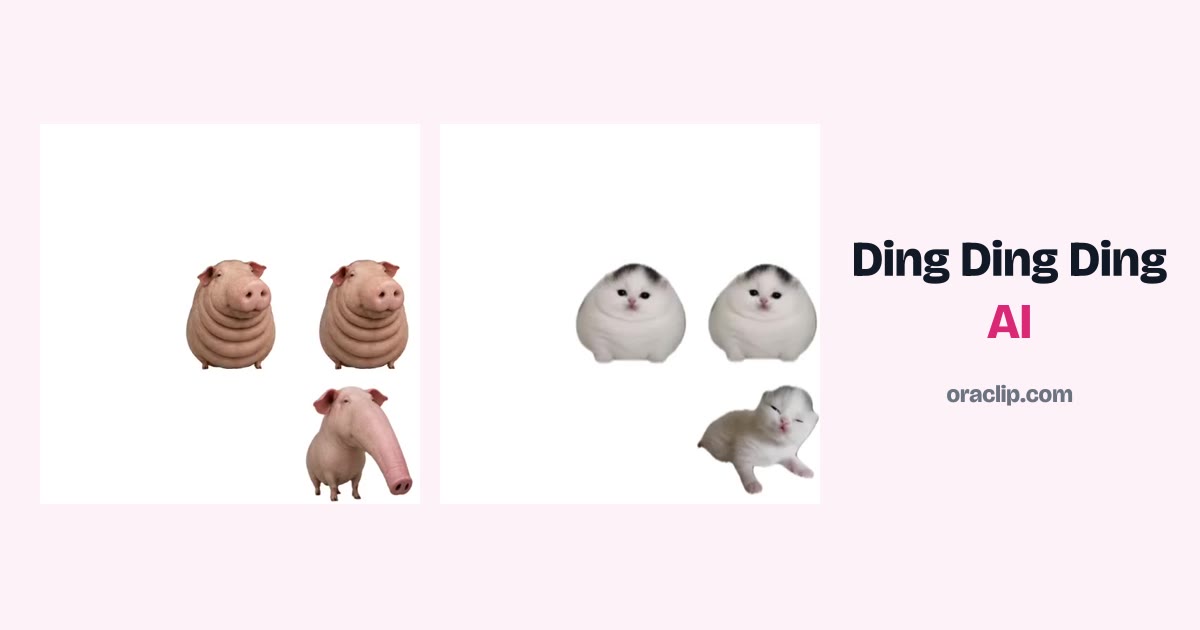
The Ding Ding Ding trend is the merge-game clip in which a white board fills with little cut-out copies of one photo, and every time three of them touch they slide together, ding, and pop into one bigger, rounder copy, until a single giant, perfectly round character is left. On TikTok, pets took the format over. This guide explains where the Ding Ding Ding trend came from, how the 15-second merge is built, and how to make your own version from one pet photo on Oraclip's Ding Ding Ding AI page, including the chubby and crown versions, what it costs and how to post it.
Skip to the generator: Ding Ding Ding AI →
Clip: @hryak_ed1tz on TikTok, posted 1 November 2026, about 3.5 million views as read on 13 November 2026, shown muted with credit. Open the original for its sound.
Oraclip's page is its own AI take on the Ding Ding Ding merge trend, made from your pet's photo. It is not the CapCut template, and Oraclip is not affiliated with CapCut, TikTok or the creators whose clips appear here. The template's sound is not used.
What is the Ding Ding Ding trend?
Ding Ding Ding is a merge-game video: copies of one still fill a white board, and every three that touch slide together on a chime into one bigger copy, level after level. Half of TikTok hears the chime as “bing bing bing”; it is the same trend, not a second format. People also just call it the merge trend.
A CapCut template for the format went up on 31 October 2026, posted by @justine.obnimaga, and was used 3.3 million times in nine days, according to the figures we used for the page on 13 November 2026. Pets took it over: a meme pig passed 3.5 million plays and a chubby snow leopard 1.2 million, as read the same day. The trend peaked on 5 November and new posts had slowed to about 5,000 a day by 9 November.
The joke, once pets are in it, is simple: your cat or dog gets rounder with every ding. If you are looking for the audio itself — “what song goes ding ding ding”, or the Ding Ding Ding TikTok song — that is a separate, noisy search. The short answer is that the trend is built on the template's chime, not a commercial title we have verified, and Oraclip does not use that sound. The longer answer is in Ding Ding Ding TikTok song: the merge trend audio.
The clips below, and the ones on the Ding Ding Ding AI page, are the creators' own viral videos, re-hosted without sound, with credit and a link. They show how the format looks in the wild. They are not clips Oraclip generated.
How the 15-second merge is built
The versions that spread keep the same three stretches. Oraclip's generator is designed around that structure:
- 0–3 seconds. The board is full of tiny copies of the same pet.
- 3–9 seconds. Three touch, there is a chime, and one bigger copy appears; then the bigger ones start to merge.
- 9–15 seconds. The merges run faster, until one giant, perfectly round pet is left.
Fifteen seconds, in a square 1:1 frame, is enough for the whole board to clear. The CapCut template is built as a six-photo ladder, one still per level. The Oraclip page is designed to need only one pet photo and to generate every level as that pet, rounder each time.
Clip: @sky_shik on TikTok, posted 3 November 2026, about 1.2 million views as read on 13 November 2026, shown muted with credit.
How to make the Ding Ding Ding AI video
You do not need six photos, a green screen or the CapCut template. You need one clear pet photo, about a minute, and credits for one render. Open Ding Ding Ding AI and work through the generator under the heading.
Step 1: upload your pet's photo
One pet, whole body in view, ideally on a plain wall or floor so the cut-outs have a clean outline. Face and eyes should be easy to read, in daylight or a bright room. Cats, dogs and other pets all fit the format; the samples on the page include a pig, a snow leopard, a kitten and parrots, all from their creators.
Skip photos of people or children, two or more pets in one frame, busy backgrounds, dark shots and head-only close-ups. Only upload a photo of your own pet.
Step 2: pick a version
Two versions share the same board and the same merge:
- Chubbier every ding. Each level gets rounder, until one giant chonk is left.
- Crowned at the end. The same merge, with a tiny gold crown on the last level.
There is one short optional field for a detail, such as “a red bow on every copy”. One phrase is enough. You do not write a prompt for the whole clip.
Step 3: pick a quality and generate
A 15-second clip costs 720 credits at 480p (the default) or 1,520 credits at 720p with Seedance 2.0 Mini. The photo is a free input. 480p is fine for most feeds; 720p is sharper if you want markings on the face to stay readable at every level.
There is no free preview: every render uses credits, and failed renders are refunded automatically. The exact cost is always shown before you generate. Plans and credit packs are on the pricing page.
Step 4: check the clip, then post it
You get a square 1:1 MP4. The page is designed to generate its own chimes and pops with the video, one on every merge. That is model-generated audio made with the clip, not the CapCut template's sound, and not a separately recorded effect added on top. If a render comes back silent, a licensed library track is used only to fill the silence; it is not the trend's chime and is not mixed over a clip that already has sound.
Watch the file once. Check that the face and markings still look like your pet on the tiny copies and on the final round one, and that the merges read as three-into-one rather than a random morph. If the outline breaks up, try a sharper photo on a plainer background.
If you want the trending template sound on the post, add it in the app when you upload, and credit the source. Say the clip was made with AI in your caption.
Clip: @whitejvmcfn on TikTok, posted 3 November 2026, about 1.0 million views as read on 13 November 2026, shown muted with credit. This is a creator remix, not an Oraclip render.
Photos and ideas that work well
- A side-on or three-quarter full-body shot on a plain floor. The cut-out is the whole joke.
- Markings that stay recognisable when tiny. A blaze, a collar or a distinct coat helps the first level still look like your pet.
- Try the crown version if you want a clear last-frame still for a profile or a story.
- Keep the caption short. “Ding ding ding” or “how round can they get?” is enough.
- Post kindly. The joke is chubbiness as a merge-game gag, not a comment on a real animal's weight.
Clip: @justine.obnimaga on TikTok, posted 31 October 2026, about 316.9 thousand views as read on 13 November 2026, shown muted with credit.
FAQ
What is the Ding Ding Ding trend?
A merge-game video trend from a CapCut template posted on 31 October 2026: copies of one photo fill a white board, and every three that touch slide together on a chime into one bigger copy. With pets, every level gets rounder.
Is bing bing bing the same trend?
Yes. Same merge game, same chimes; some people hear “ding”, others “bing”. People also call it the merge trend. “Bing bing bing trend” did not return Google autocomplete when we checked on 13 November 2026, so it is a secondary name, not a separate format.
How do I make a Ding Ding Ding video of my pet?
Open Ding Ding Ding AI, upload one photo of your pet, pick a version and press generate. The page is designed to return a 15-second square MP4 of the whole merge, from tiny copies to one giant, round pet. You do not write a prompt.
How many credits does it cost?
A 15-second clip costs 720 credits at 480p or 1,520 credits at 720p with Seedance 2.0 Mini. The photo is a free input, and failed renders are refunded automatically. There is no free preview.
Which AI model makes the video?
Seedance 2.0 Mini, generating a 15-second 1:1 clip. The page keeps the board, the merges and the chimes fixed so you only choose a photo, a version and a quality.
Does it use the trend's ding sound?
No. The template's sound belongs to its creator. The clip is designed to come with its own chimes and pops made with the video, one on every merge. A licensed library track only fills in when a render is silent. You can add the trending sound in the app when you post.
Is this the CapCut template?
No. The template needs six photos, one per level. This page needs one photo of your pet and generates every level as your pet, rounder each time. Oraclip is not affiliated with CapCut, TikTok or the creators shown here.
Can I use a photo of a person?
No. This page is for pets only. No people and no children.
More pet trends
- Ding Ding Ding TikTok song: the merge trend audio: what the chime is, and why the page does not use the template sound.
- Groomer vs Dog AI: your dog fights back at grooming time.
- Paws at you AI and Single Ladies dog AI.
- Hippo Pathway What If AI: your pet as a city-sized giant.
- All trends and pricing.
Photo ready? Make your Ding Ding Ding video.