
 Made with Oraclip
Car Jump AI: The Unbothered Chair Shot From One Photo
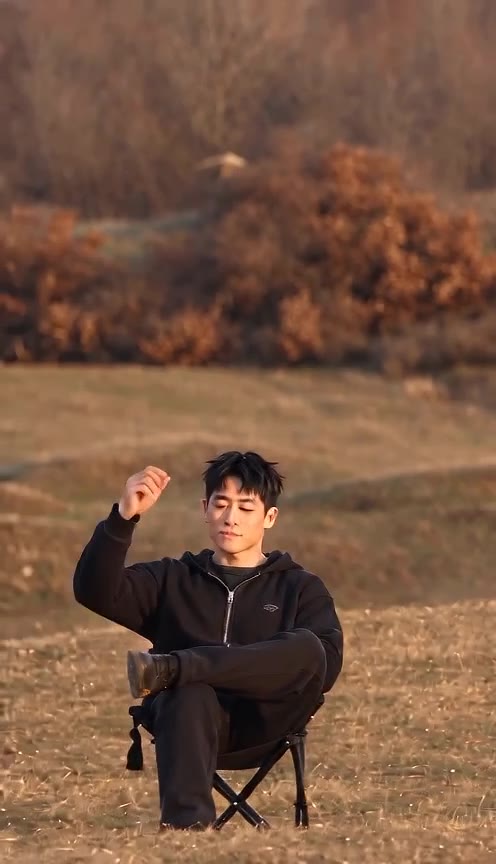
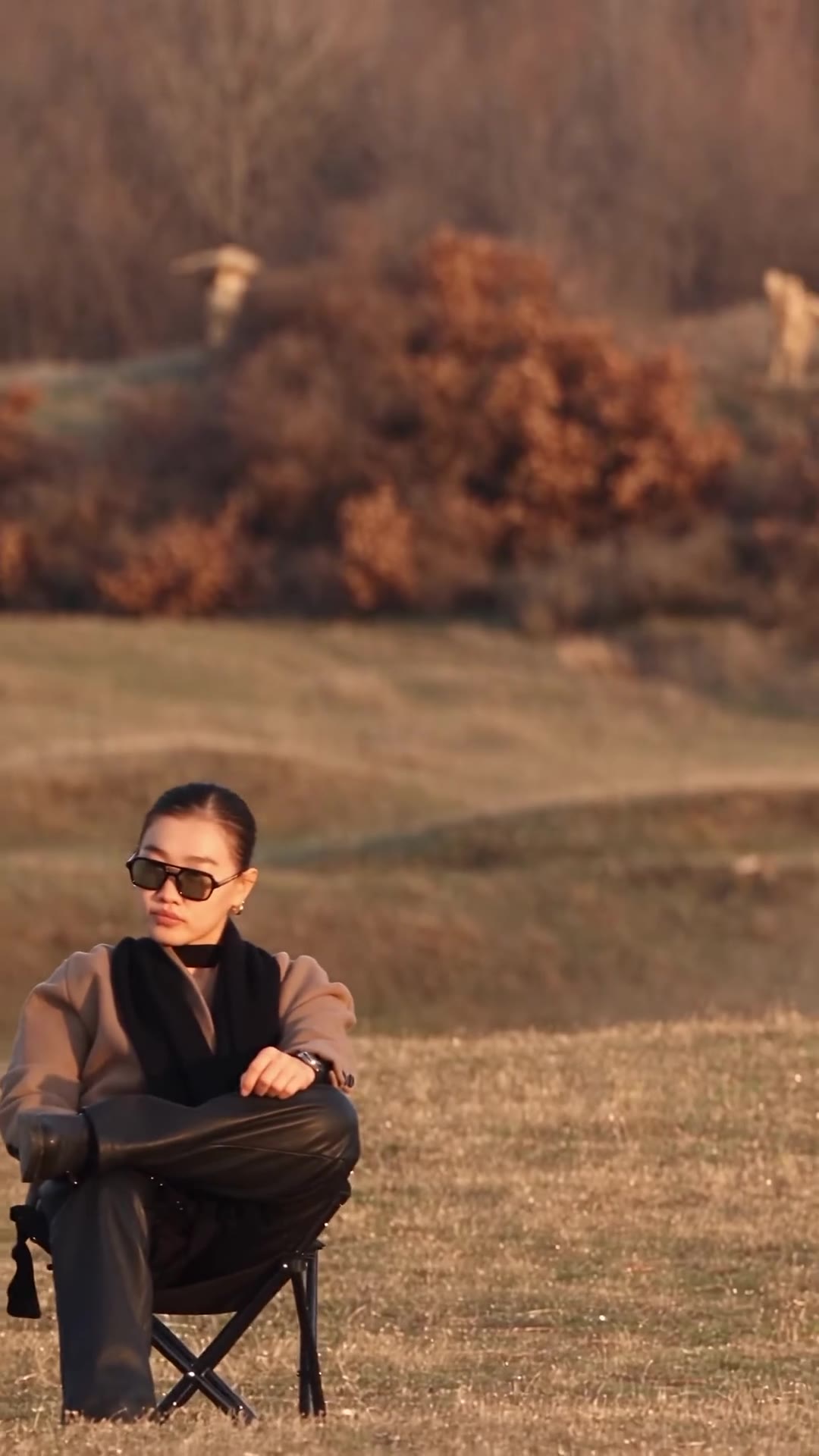
The car jump AI trend is the unbothered stunt: you sit calm in a folding camp chair while a pickup or SUV launches off a dune behind you and flies overhead. Add one clear photo and get a 10-second vertical clip — no prompt writing, no real stunt.
Make your car jump AI video
Add one waist-up or full-body photo, pick a landscape and generate. Viral reel is the motion reference. No free preview.
1 · Add your photo
 Motion reference: the jumpViral reel (trimmed, silent) is the motion reference. Your photo character-swaps the seated person.Built in
2 · Pick a scene
3 · Pick a quality and generate
Only upload a photo of an adult who agreed to appear. No minors, no public figures. The vehicle is a generic dark pickup with no brand logos; this is an AI shot, not a real stunt. No free preview: every render uses credits. Failed renders are refunded automatically. See plans
Car jump AI scenes
Example slots for clips made from AI-generated sample people and our own reference. Your clip is a 10-second vertical video made from your own photo.
- Made with Oraclip
Desert dune
via Seedance 2.0 Mini · 480p · 10 s · own ref
- Example
via @ya_danilova01
- Example
via @stevenwommack
Tap a clip to play it with sound. Example slots for Oraclip samples from AI-generated people and our own reference. Your video is generated from your own photo. contact@oraclip.com
What is the car jump AI trend?
The car jump AI trend (also searched as car jump AI video, car jump AI prompt or trending car jump AI video) shows one person sitting calm in a folding chair in an open landscape while a pickup or SUV launches from a ridge behind them and flies overhead.
It spread from Instagram Reels and YouTube Shorts in late September 2026, then TikTok how-tos. The punchline is always the same: the calmer you look, the better.
Motion transfer: viral camp-chair reel is the reference; your photo character-swaps into the chair. No prompt writing.
The clip, second by second
- 10–2 s: low camera, you seated in the chair, landscape behind.
- 22–5 s: the vehicle launches from the ridge.
- 35–8 s: it peaks above your head in a dust trail; you stay unbothered.
- 48–10 s: landing dust behind you; hold the calm pose.
Why people post it
Nobody can film that shot safely, and the deadpan face is the joke. One selfie is enough.
Pick a scene
Pick a scene in the generator, or tap one here to load it.
Desert dune
Dry open desert, golden hour, generic dark pickup. The classic look.
Golden field
Dry grass field at sunset with a low mound behind.
Dune buggy
Same desert setup with a generic dark dune buggy, no logos.
How to make a car jump AI video
- 1
Add one photo
A clear, front-facing adult photo. Waist-up or full body both work.
- 2
Pick a scene
Desert dune, golden field or dune buggy. The jump timing is built in.
- 3
Generate and post
You get a 10-second vertical clip. Keep the caption deadpan — the car does the shouting.
Photos that work best
- One adult, face clearly visible
- Good light, front-facing
- Waist up or full body
- Neutral expression reads as “unbothered”
Weaker or blocked
- Photos of children or anyone under 18 (never allowed)
- Celebrity look-alikes
- Very dark or blurry photos
- Heavy sunglasses that hide the whole face
What goes wrong, and how to fix it
| Problem | Fix |
|---|---|
| Face warps as the truck passes | Use a sharper front-facing photo, or try 720p. |
| You flinch in the clip | Generate again; the reference keeps you calm. |
| Truck looks tiny | Desert dune usually reads biggest; try that scene. |
| Logo appears on the vehicle | Generate again — prompts forbid brand marks. |
More cinematic trends
Want another big reaction shot? Try the closing door prank. For neon night driving, try Neon Vice City Drive.
Fine-tune your video
Same prompt, full controls: switch the model, length or aspect ratio, attach a reference video, then generate.
Car jump AI FAQ
What is the car jump AI trend?
A short AI video where you sit calm in a folding chair while a pickup or SUV launches over your head in an open landscape. Also searched as car jump AI video and car jump AI prompt.
How do I make a car jump AI video?
Add one clear photo, pick desert, golden field or dune buggy, and generate. You get a 10-second vertical clip.
Where do the moves come from?
From our own AI-generated 10-second reference video. The model follows its timing and replaces the seated person with your photo.
Is this a real stunt?
No. The whole shot is AI. Never try this with a real vehicle.
Do you use brand car logos?
No. The vehicle is a generic dark pickup or dune buggy with no brand marks.
How many credits does it cost?
A 10-second clip costs 770 credits with Seedance 2.0 Mini at 480p (the default) or 1,620 at 720p, including the 10-second reference billed as video input. Failed renders are refunded automatically.
Is there a free preview?
No. Every render runs a paid video model, so there is no free preview.
Can I make it for free?
Signing up is free (no card) and new accounts get 100 credits, valid for 5 days (one grant per email). They cover images and a short test video: the cheapest clip is 20 credits, and Grok Imagine Video 1.5 makes up to 8 seconds at 480p for 100 credits. Chatting with the agent is free. Longer or higher-resolution videos need a plan or a one-time credit pack. The exact cost shows before every render, and failed renders are refunded.
Can I add kids?
No. Photos of children are never allowed.
Which AI model does it use?
Seedance 2.0 Mini reference-to-video. 480p is the default; 720p is sharper and costs more credits.