
How to Make the Pick It Up Dance AI Video From a Photo
Make the Pick It Up dance AI video from one photo, solo or duo. Pick a scene, see the credit price, then post it with the trending sound on TikTok.
 Oraclip Team
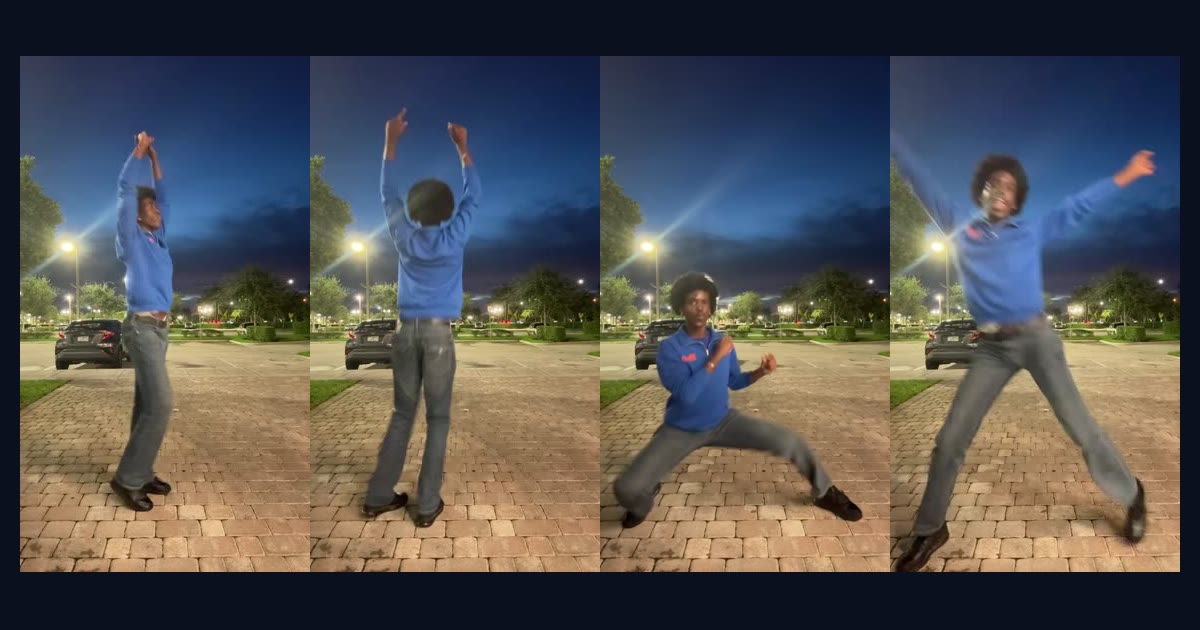
The Pick It Up dance AI video takes one photo of a person and makes them do the TikTok routine: arms flung out, hands locked on the head, a turn to the back, a deep squat and a jump with both hands up. You do not have to learn the moves or film anything. This guide shows how to make the Pick It Up dance AI video from a photo on OraClip, which photos work best, what it costs, and how to post it.
Want to start now? Open the Pick It Up Dance AI generator, upload a photo and tap a scene.
What the Pick It Up dance AI trend is
The Pick It Up dance started as a real dance on TikTok. Creators danced it in autumn 2026 to an original sound by DJ Zackkk, and captioned it with the hook “pick it up, make it jump, put yo hands up”. Once the routine took off, an AI version followed: people put a photo of themselves, a friend, a baby or a pet into an image-to-video template and posted the result doing the same moves. The trend tracker MakeViral dates the spread of the AI baby template to late October 2026.
If you want to dance it yourself, read the Pick It Up dance tutorial. If you want the AI version, keep reading.
What you need
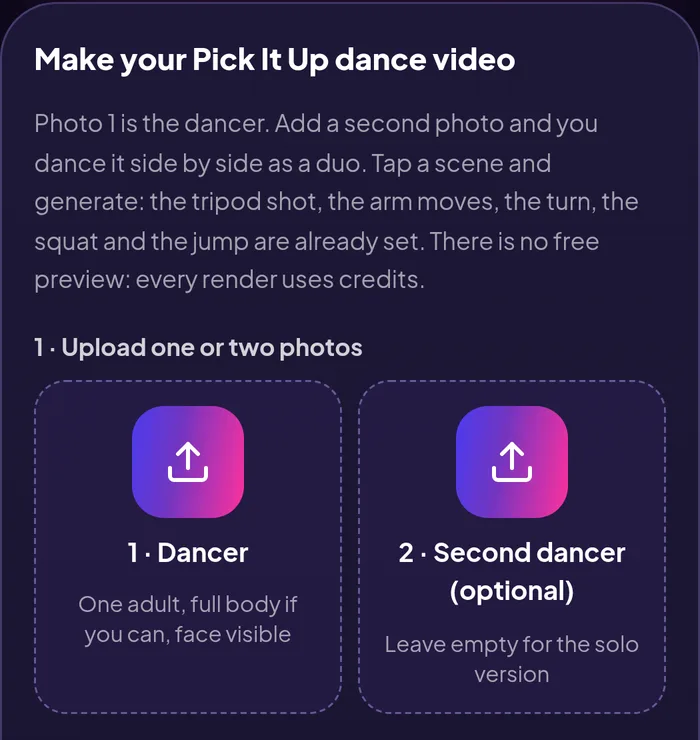
- One clear photo of an adult, or two photos for a duo. The person must have agreed. OraClip does not accept photos of minors or public figures for this trend.
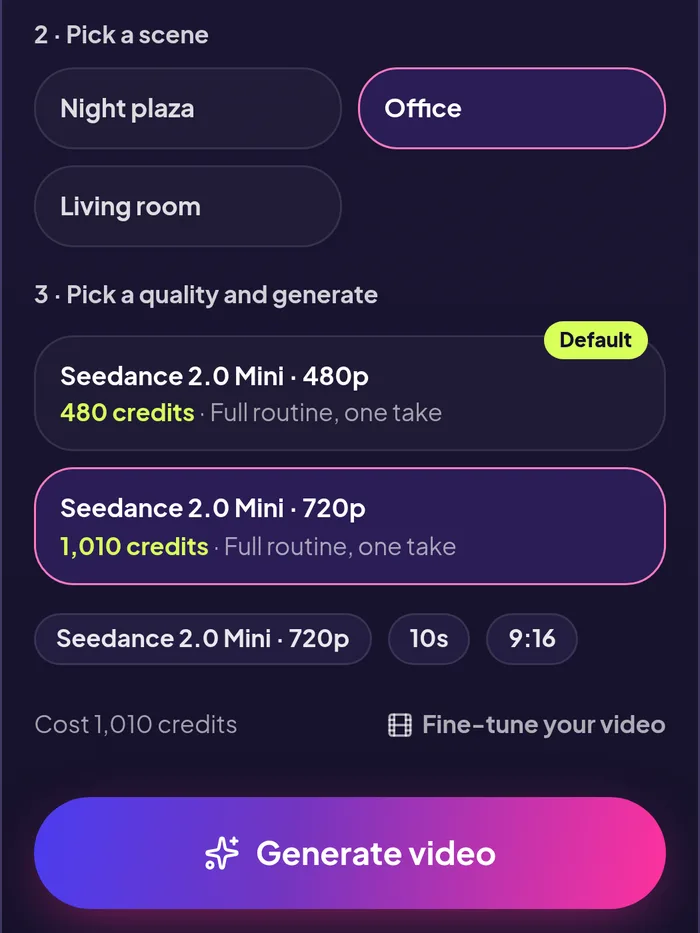
- An OraClip account with credits. There is no free preview. A 10-second clip costs 480 credits at 480p or 1,010 credits at 720p, and the price is shown before you press Generate. Failed renders are refunded automatically.
You do not write a prompt. The moves, the tripod-style shot and the timing are already set on the page.
How to make the Pick It Up dance AI video, step by step
1. Open the generator
Go to oraclip.com/pick-it-up-dance-ai. The form sits at the top of the page on desktop and on mobile.
2. Upload your photo
Photo 1 is the dancer. For the best result use a photo where the whole body is visible, standing, facing the camera, with both arms in view. A head-and-shoulders selfie also works, but the model then has to invent the legs and outfit, so the squat and the jump look less like you.
3. Add a second photo for a duo (optional)
Add a second photo and the two people dance the routine side by side, in sync, like the duo takes on TikTok. Leave it empty for the solo version.
4. Pick a scene
Tap one of the three scenes:
- Night plaza: a brick plaza with street lights at night, the look of the solo take most people copy.
- Office: an office floor, like the office takes that went viral in late October.
- Living room: a home living room, the easiest one to pass off as your own video.
5. Choose the quality and generate
480p is the default and the cheaper option. 720p is sharper. The model is Seedance 2.0 Mini and every clip is 10 seconds, vertical 9:16. Press Generate and wait for the render, then download the MP4.
What you get
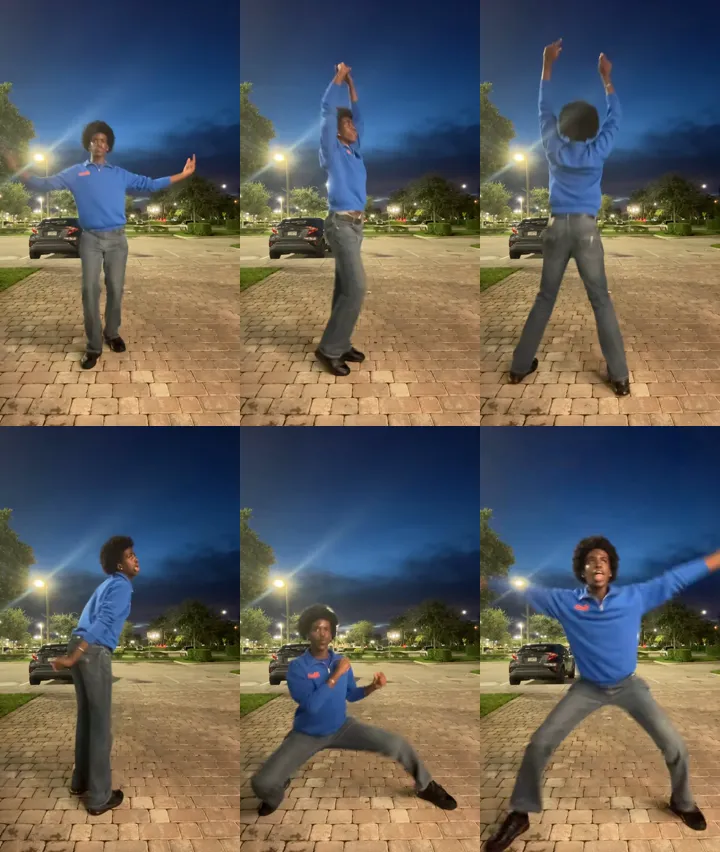
A 10-second vertical MP4 of the full routine with your photo: the bounce with the arms out, the hands locked overhead, the turn to the back, the turn back to the front, the squat and the jump. The clip comes with OraClip's own club beat. It does not use DJ Zackkk's sound or any creator's video. Your clip is a new render from your photo, not an edit of someone else's dance.
Tips for a better Pick It Up AI clip
- Full body beats a selfie. The routine is mostly legs and arms. A full-length photo keeps the outfit and proportions right through the squat.
- Plain, even light. Faces stay more consistent when the photo is not backlit or heavily filtered.
- Arms visible. Crossed arms or hands in pockets make the hands-on-head pose harder to render cleanly.
- Match the duo photos. For two people, use photos with similar framing and light so the pair looks like one shot.
- Try another scene before you change the photo. If a render looks off, the scene is often the quicker fix.
How to post it on TikTok
- Download the MP4 from OraClip.
- Upload it to TikTok and, if you want it to join the trend, add the trending “pick it up, make it jump” sound in TikTok's sound picker. Turn the original audio down.
- Use the trend hashtags creators use, such as #pickitupdance and #makeitjump.
- Turn on TikTok's AI-generated content label. Say it was made with AI.
Pick It Up dance AI FAQ
Is the Pick It Up dance AI video free?
No. There is no free preview on this page. A clip costs 480 credits at 480p or 1,010 at 720p, and failed renders are refunded automatically.
Can I make the Pick It Up dance with two people?
Yes. Upload two photos and the two people dance side by side in sync. Three or more dancers are not supported.
Can I use a photo of a baby or a pet?
Not on OraClip. The trend has AI baby and pet versions elsewhere, but this page only accepts photos of adults who agreed to it.
Does the video come with the TikTok sound?
No. It comes with OraClip's own beat. Add the original sound in TikTok when you post.
How long is the video?
10 seconds, vertical 9:16, as an MP4.
Related dance trends
Like this one? Try the Jisoo Addicted dance, the Parking Lot dance AI or the Chipmunks dance, or read where the Pick It Up, Make It Jump song comes from. Every current trend is on the Trends page.
Sources
Trend dates come from the public TikTok posts by @djzackkk and @overlyyocean, and from the MakeViral trend timeline. Prices and options are from the Pick It Up Dance AI page on 10 November 2026.
Make your Pick It Up dance video →
OraClip is not affiliated with TikTok, DJ Zackkk or any creator named here.